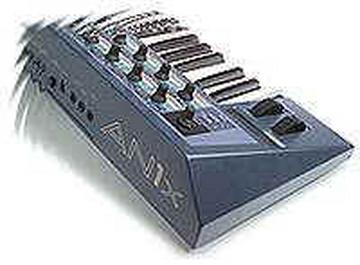
I finally got around to resurrecting my An1x editor setup running on
Classic. Well, I can't get to 1st base. I have the latest OMS
installed. I can configure the studio in OMS to show the An1x. But,
when I go to the editor it doesn't show the an1x in the midi setup.
Also, I am not sure how to show the MOTU microlite.

This shouldn't be this difficult, or maybe I should say, I shouldn't
be this much of an idiot!! In either case, I am loving the An1x, and
learning a lot from just spending time with it and cajoling its
knobs.  Wish I could set up the editor though!! Any help is
appreciated.

aL


--- In AN1x-list@yahoogroups.com, "Jon" <jondl_2000@...> wrote:
>
> --- In AN1x-list@yahoogroups.com, "fai31188" <fai31188@> wrote:
> >
> > OK, I finally got around to installing the AN1x editor on my
machine.
> > I am running a G4 dual 500, on 10.4.2.
> >
> > I downloaded and installed on the boot up drive for OSX and OS9
the
> > latest OMS, and the latest drivers for my MOTU micro lite.
> >
> > The editor launches in Classic just fine. But that's where all
good
> > things stopped. I can't get the 'puter to see the midi
interface.
>
> Assuming you had no problem creating a Studio Set-up document in
OMS, you should be
> half way home. If not, that;s the 1st thing ou need to do - if you
need help, let me know
> (but I think you're pass that point already.)
>
> Under some circumstances AN1xEdit will not receive SysEx from the
AN1x  - typically
> when the MIDI Interface has been disconnected or (re)installed.
Assuming you have OMS
> and the USB MIDI driver for your MOTU installed correctly under
Classic, try this fix to
> restore communication between OMS and AN1xEdit:
>
> From within AN1xEdit, under the Setup menu select the MIDI Port
Setup... option.
> Notice the devices listed in the drop down menu are those defined
in your OMS Studio
> Setup document. Typically the MIDI In and MIDI Out options are set
to AN1x. In those
> instances where OMS and AN1xEdit have stopped communicating -
toggle between any
> devices other than the AN1x from the MIDI Port Setup... dialog
then BACK again to AN1x -
> this will reestablish the dropped connection.
>
>
> > What I think I need now is more detail on specific settings, and
what
> > have you!!!
>
> Here's where you should find the necessary files installed:
>
> System Folder  (OS 9) -> OMS Folder -> MOTU Micro Lite USB Driver
(I don't know the
> proper name for the Mircro Lite USB driver, MOTU used to use one
generic driver named
> 'MIDI Time Piece OMS Driver', might be the same for your Micro
Lite.)
>
> System Folder  (OS 9) -> Extensions Folder -> Open Music System
Driver
>
> Applications (Mac OS 9) -> Opcode Folder -> OMS Applications ->
OMS Setup
>
> Applications (Mac OS 9) - AN1xEdit Folder -> OMSLibPPC.slb  (Do
not move item it should
> remain in the AN1xEdit folder where it was installed along with
the application.)
>
> Let me know how it turns out.
>
> Regards,
>
> Jon
>
Message
Re: AN1x Edit -- Round 2
2006-08-07 by fai31188
Attachments
- No local attachments were found for this message.