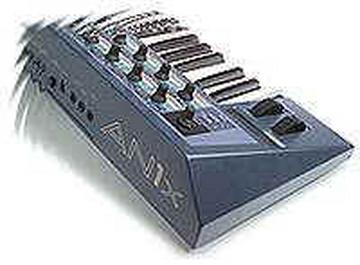
When you set An1x tempo to MIDI, it drives the ARP/Seq directly from
received MIDI CLK messages. For this to work your sequencer must be
sending MIDI CLK to the MIDI port that the An1x is connected to. My
guess is that you haven't setup Cubase to send MIDI clock to this port
going to the An1x. (thus the Arp/Seq simply sits there doing nothing!)

So go to the relevant Cubase setup dialog (I think it's under the
synchronisation option) and ensure you are sending MIDI CLK to the MIDI
port that your An1x is connected to.

Thereafter the Arp/Seq should play in time with Cubase tempo (in fact it
should even track tempo changes within the song).

Note: your success in doing this may vary depending on which version of
Cubase you are using and the performance of your PC. Last time I looked
at Cubase, I found that its MIDI clock output was very unstable. This
can cause the An1x to lose sync during a song. The sequencer with the
most stable MIDI CLK output was surprisingly Cakewalk!

A better solution when performing such MIDI clock sync is to use a
hardware based clock source e.g. a drum machine or hardware sequencer.
Then slave both the synth and the software sequencer to this source.

Regards

Gary Gregson

Email:gary@...
http://www.yme.co.uk/yme


-----Original Message-----
From: Andy Fearon [mailto:andy.fearon@...]
Sent: 06 January 2002 14:35
To: AN1x-list@yahoogroups.com
Subject: [AN1x-list] Setting Tempo to Midi

Hello everyone,
One thing that has bothered me about my An1x over the last few years is
what
happens when you set the tempo to midi on a patch that uses arps or
seqs,
i.e. nothing!
I would like to be able to send single notes (or chords) from Cubase to
trigger the An1x to play the sequence or arpeggio at the tempo set by
Cubase.
This is not to be confused with the Pattern Transmit Channel which you
can
use to transmit the actual notes played by the Arp or Seq via midi which
you
can then capture in Cubase.
I hope you can help.
Andy
Message
RE: [AN1x-list] Setting Tempo to Midi
2002-01-06 by Gary Gregson
Attachments
- No local attachments were found for this message.