j.kolling@... wrote:
>
> Excuse my ignorance once again, but how do you route the ins&outs of
> a
> midi interface
> with more than 1 in&out ?
>
> let me set up an example-situation:
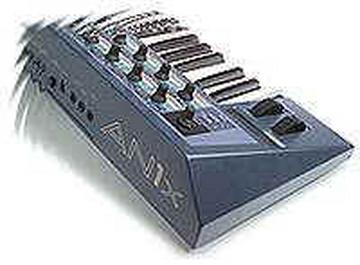
> Yamaha AN1x controlling an a3000 sampler
> and the sampler registers notes back to cubase (?)
> and three other soundmodules and another masterkeyboard
> and two 19" FX units with MIDI.
> How do you hook this all up? regarding the Ins & outs (midi).
>
> I'm thinking about getting the midiman midisport 2x2 or the all new
> 4x4
>
> Maybe i'm just a little stupid with this, but it is mind-boggling ;)
> ;P
>
Yes, it is - and - no, you're not!


With that much gear to connect (eight devices by my count) I'd skip the
4x4 MIDI Interface and go for the 8x8 version.  I'd setup as follows:

Port 1 Out -> AN1x MIDI In
Port 1 In -> AN1x MIDI Out
Port 2 Out -> A3000 MIDI In
Port 2 In -> A3000 MIDI Out
Port 3 Out -> Module 1 MIDI In
Port 3 In -> Module 1 MIDI Out
"			"		"
"			"		"
Port 8 Out -> FX Unit 2 MIDI In
Port 8 In -> FX Unit 2 MIDI Out

If I were strapped for cash I go with a 4x6 MIDI Interface and just use
the first four pairs for controllers and modules were I absolutely
needed bilateral communication with my MIDI software & hardware.  I'd
put the FX Units on the last pair of MIDI Outs and sacrifice the MIDI
In's from those two boxes.  Avoid the headache and just get an 8x8 MIDI
Interface, IMO. Or you could daisy chain devices as Rolf suggested in
his reply.  Both rolf and my solution will work - mine costs more though
;-) Don't forget to figure in the costs of cables when setting this mess
up :-)

On the Mac, OMS has been the standard API for configuring your MIDI
Setup and all other MIDI Apps could reference this config for ease of
use.  Mark Of The Unicorn makes FreeMIDI which serves the same purpose
for all intent.  I'm uncertain exactly what the standard on Windows is
to configure your MIDI Setup - I assume MOTU (cross platform) provides
an app for this purpose on Windows.  Basically, you need an application
that you define which MIDI Instrument is plugged into which Port on your
MIDI Interface. These definitions would include such variables as
whether the MIDI Instrument sync to MIDI Clock, MTC, SMPTE, etc; what
MIDI Channels it will send/receive on, Device ID numbers (in the event
you have a couple of the same box daisy chained on the same port), etc.
Once you make these definitions your MIDI sw apps *should* all be able
to reference it.

Again, I'm sorry I can't be more specific regarding Windows but I've
always used a Mac for MIDI/Digital Audio.  I think there is a popular
application called HUBI's Loopback(?) that serves a similar purpose on
Windows as OMS does on Macintosh.  The above description is how OMS &
FreeMIDI work. Of course, Emagic Logic allows you to create some mind
boggling MIDI setups, i.e., Environments, with *way cool* processing and
filtering! Again, I assume the feature is near identical under Win as it
is on the Mac.  FWIW, this is one of the main reasons I went with Emagic
over the other vendors when I gave up Opcode - I've never perceived MOTU
as being particularly open minded when it comes to sharing standards on
the Mac. They've always been a proprietary bound.  But now I'm real off topic...

regards,
Jon

--
http://www.jdlx-musique.com/

Featuring support for the Ensoniq ASR-X Pro Sampler and Yamaha AN1x Synthesizer
Message
Re: [AN1x-list] midi stuff
2000-07-11 by jondl
Attachments
- No local attachments were found for this message.