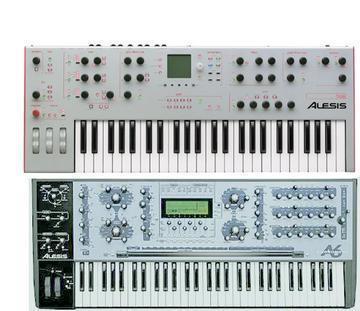
Making the A6 sound more Punchy and other advice.
2004-09-30 by Tony
I've heard people complain about slow envelope speeds on the A6, but
I've always found that I didn't really have the same problems.  The A6
takes a little more care to make the sound that you want (due to it's
extensive modulation options).  In anycase, for people wanting to just
get generally better sounds out of your A6, I would like to share my
experiences with the A6.  I would also like to point out some tips,
and maybe others in here have their own methods of dealing with problems.

The first step is to get away from the terrible "Default Program" the
A6.  It's imperative to store presets that have good characteristics
of the sound that you want or have trouble making.  For example, I
have a Bass Init patch, which I find gives me a great starting point
for nice basses.

As has been mentioned many times before, the volume of you pre-filter
mix is very important for the quality of bass.  I have actually
observed this with my own eyes, when I tested the A6 with an
oscilliscope.  You can see a sine wave distort into a rounded off
square wave as you drive the mix more and more.  This will make the
sound have less amplitude in the lower frequencies, and thus robs the
bass that you are seeking.

A point that has not really been mentioned before is the topic of
'punch'.  I find that sometimes it's rather confusing on what 'punch'
is and what it isn't.  Some people claim that Punch is the quickness
of an envelope, but I beg to differ.  In the realm of compressors for
example, you can add Punch by driving a moderate ratio and actually
making the attack SLOWER!  This is no suprise, because what makes a
sound Punchy is that brief moment that a sound is slightly louder and
then it levels off.  That is why the A6's ENGINE OPTIMIZER still
doesn't really solve problems that people encounter with Punch on the
A6.  The way I have made the A6 more Punchy is by simply bringing the
Sustain level slightly on the VCA, and making Decay 2 a very small
value.  Just enough to make the bass bounce in a nice fashion is all
you need.  You need to once again be careful about overdriving ANY of
the mixer levels, because if the VCA is driven too hard the intial
peak of sound will just be blurred by saturation.

You might be wondering about the Filter section.  Well this is where
things get somewhat tricky.  The Filter Section is also a major
culprit in robbing bass and taking away Punchiness.  It's not quite as
simple as other synths in this regard.  Get rid of the two Decay
values on the Filter Envelope, and use only one of the decays.  Don't
go crazy with the Resonance!  Bring the Cutoff down, but let the
Filter Envelope control the character of your filter by bringing down
the Filter Env. Sustain.  Also, give you bass some filter tracking and
velocity sensitivity.  If you bring the Filter Env. Sustain ALL the
way down you can get some massive bass modulation.  Once you have
yourself a nice but generic bass patch, save it as an Init Patch so
you don't have to do it all over again.

I recently had a project that I needed to make EP sounds on the A6.  I
was able to get a pretty nice EP, although the lower end of the
keyboard sounds a little crappy.  I didn't bother fixing it, because
most of the chords I needed were in the upper register anyway.  I'll
see if I can solve the problem at another time, but I'm still
interested if anyone has tackled a method for making a good EP on the
A6.  The 'FM problem' on the A6 is a real bummer, but I was able to
work around it.

I'm also sure that people might want to see some advice on pad sounds
on the A6.  I've gotten massive pads in general (string, phase, etc.),
but it always seems like a lot of prodding to get a 'tame' pad sound.
 A smooth, wispy, pad that worbles slighty doesn't exactly 'drop' on
an A6's programmer's lap.

I'm sure any tips might be useful, since it's been a while since the
last A6 programming FAQ got updated.  I'm sure people have learned a
lot more in the last couple of years.

-§