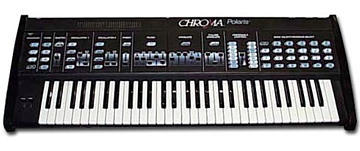
Doesn't the Polaris start in Omni Poly?

Tracy

--------------------------------------------
On Wed, 7/11/18, 'David Clarke' ac151@... [chromapolaris] <chromapolaris@yahoogroups.com> wrote:

 Subject: Re: [chromapolaris] Auto Tune via MIDI
 To: "chromapolaris@yahoogroups.com" <chromapolaris@yahoogroups.com>
 Date: Wednesday, July 11, 2018, 9:39 AM


       > Unfortunately, I can't go for a new panel
 just at the moment :-(

 >

 >

 I was really hoping that Sound Quest would work for all the
 front panel

 > operations like the upper and lower buttons...


 All panel controls are available to be adjusted remotely.


 Details are in the MIDI Implementation Manual (xref:
 http://www.rhodeschroma.com/content/polaris/midimanual.pdf)


 You can send messages to the 'Panel' to cause Switch
 Presses and Slider Moves.


 For instance, if you wanted to press button 1 (the
 'stop' button) you might issue:


 F0 08 01 53 31 36 30 30 30 43 30 32 F7


 Where:


 0xF0             /* Start of Sysex */

  0x08             /* Fender Manuf. ID */

  0x01             /* Channel Number */

  0x53             /* "S" for Send Message */


 /* Stream number = Panel = 0x16 */

  0x31             /* ASCII 0x31 = the number "1"
 */

  0x36             /* ASCII 0x36 = the number "6"
 */


 /* Instrument Number = 0, always exists */

  0x30

  0x30


 /* Switch Press = 0x0C */

  0x30             /* ASCII 0x30 = the number "0"
 */

  0x43             /* ASCII 0x43 = the letter "C"
 */


 /* Switch number = Stop = 0x01 */

  0x30             /* ASCII 0x30 = the number "0"
 */

  0x31             /* ASCII 0x31 = the number "1"
 */


 0xF7             /* End Sysex */


 Note - if you don't know what MIDI Channel the Polaris
 is currently listening to (and if you don't have panel
 control to allow you to set it/change it), then you can try
 each of the channels to see which one is active (e.g.,
 change the channel number above from 01 to 02, to 03, etc.
 to find which channel is being responded to).


 The same general steps above could be used for any panel
 buttons.


 The same approach (from the manual) can also be used for the
 sliders.


David ClarkeMessage
Re: [chromapolaris] Auto Tune via MIDI
2018-07-12 by Tracy Barber
Attachments
- No local attachments were found for this message.