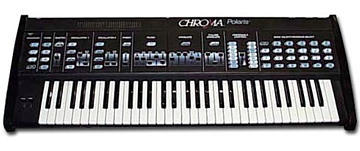
Rhodes Chroma Polaris group photo

Yahoo Groups archive

Rhodes Chroma Polaris

Index last updated: 2026-04-28 23:17 UTC

Thread

OK - I Have Diagnostics Now And They Are Weird

OK - I Have Diagnostics Now And They Are Weird

2018-05-31 by adirondack_pc@...

This is a LONG message with test results:

These were all done sequentially, 1 after the other in the Diagnostics section. These are exactly the same issues I was having before reseating / checking the Synth so no new problems crept in.

Removed top left, top right boards.

Removed power supply.

Reseated all connectors.

Tightened all screws.

Tightened all jumpers.

Removed keyboard.

Reseated ribbon cables and made sure they were aligned. No tears, etc. New face plates.

Checked for bad cables / connections.

Did not check board trace for anomalies.

Batteries are brand new.

Did not remove transformer and anything in that corner.

Green cable from headphones is attached to power supply but nothing else. Paul D. mentioned using the brown wire from back board harness instead. What do I do with this cable? Ground it somewhere?

Changed startup patch, it was going to I 10 and that was always weird.

Starting Diagnostics:

1) Scratch patch worked.

2) Channel enable worked on all 6 channels.

3) Tried playing with Pulse on the Oscs but it just gave "effect" - was it suppose to turn off the Osc?

4) LF D 2 - Revision 5. Poop.

5) LF D 3 - All LEDs light up.

6) LF D 4 - LED went on at max Master volume.

7) LF D 12, STOP: Did NOT try. Already in RESET mode from before.

8) LF 10: LED lit up and it honked. No MIDI set up at the moment.

9) LF 11: LED did not go on and I heard a click. Had to power off / on.

10) LF 12: LED did not go on and I heard a click. Had to power off / on.

At this point, heat sink is getting warmer...

11) Noticed Bank B had organ sounds which it should not. If not mistaken, it should have scratch patch because I previously did a RESET.

12) Tried to go through all of "A" Bank using the numbers. Started each at A1 and proceeded through all. Results:

A1 - OK

A2 - OK

A3 - Piano?

A4 - OK

A5 - OK

A6 - OK

A7 - Honk, then went there to A7.

A8 - Moved to G 8

A9 - Moved to H 9

A10 - Moved to I 10

A11 - No LED, Click and stayed on A1 - no sound. Turn off / on.

A12 - No LED, Click and stayed on A1 - no sound. Turn off / on.

At this point, frustration starts to set in. I think I need to focus on adjustments or some new part(s) in the Synth.

This is where I ask you the questions about where to go next. I have done the preliminary work and am not afraid to go further, but don't know if I'm wasting time here.

13) LF A 1 - 5 seemed to work. 2 gave me a click. 5 gave me a honk.

14) LF B 1 - 6 seemed to work without issue.

7 gave a honk and went to flashing "F".

8 gave a honk and went to G 8.

9 gave a honk and went to H 9.

10 gave a honk and went to I 10.

11 gave a click and went poof - locked up. Turn off / on.

12 gave a click and lit up B 1 - 3. Locked up. Turn off / on.

Sheesh... Warmer!

Press "A" 2 - 12 light up.

Press "B" 2 - 6 light up.

Press "C" and "A" stays on.

Press "D" and "A" stays on.

Press "E" and "A" stays on.

Press "F" and "A" stays on.

Press "G" and "A" stays on.

Press "H" and "A" stays on.

Press "I" and "A" stays on.

Press "J" and "A" stays on.

Press "K" and "A" plus 2, 8 - 12 stay on.

I think this sucker is bipolar. No pun intended. What's funny is that the presets play fine! However many different ones I can scrape out of it, other than scratch patch. LOL!

Any ideas?

Tracy


Re: [chromapolaris] OK - I Have Diagnostics Now And They Are Weird

2018-05-31 by David Clarke

> ... Starting Diagnostics:

Tracey - to clarify - the 'diganostics' section of the Service Manual is not necessarily intended to be a 'follow these steps in order to check the health of your keyboard' but instead it contains a set of individual notes about how different functionalities can be controlled.  The idea is that these can be used as a sort of 'tool box' by someone to try to investigate/diagnose an issue.

> ... 3) Tried playing with Pulse on the Oscs but it just gave "effect" - 
> was it suppose to turn off the Osc?

As an example, the referred to "Oscillator Enable/Disable" section of the Diagnostics chapter is not intended to test/evaluate the oscillators.

Instead - perhaps someone sometimes heard a sour note, but not all the time.  With 6 voices and 2 oscillators per voice, it wouldn't necessarily be obvious to the person trying to debug which oscillator on which voice was the 'sour' one.  The Enable/Disable section of the Diagnostics just give general guidance to a user how they might be able to narrow down the offending hardware, by giving guidance as to how certain things can be functionally disabled.

The Oscillator Enable/Disable section is saying that if you want to make it so an oscillator doesn't sound - then if you have it set up as a 'pulse' waveform, and set the width to max (or min) - then that will 'turn off' output from that oscillator.

> 4) LF D 2 - Revision 5.  Poop.

Revision 5 is functional - but if you have concerns about that you can always arrange for newer firmware to be active:

http://www.rhodeschroma.com/?id=polariseproms

> 9) LF 11: LED did not go on and I heard a click.  Had to power off / on.
10) LF 12:  LED did not go on and I heard a click.  Had to power off / on.

What of you mean by "Had to power off/on"?  Was the Polaris stuck?  Did it no longer respond to user input?

> ... 11) Noticed Bank B had organ sounds which it should not.

There are no hardcoded default programs in the Polaris.  The programs are 100% defined by what was/wasn't loaded by the user/saved by the user.

So - in this case, what is specifically meant by Bank B shouldn't having organ sounds?  Was it confirmed that earlier in the test the sounds in that bank were different?  Did the content of the bank seem to change?

One of the diagnostic results not reported on was LF D 1 (Battery state).  What did you see here?  Whether or not the batteries are new or old, it is important to know what the Polaris 'thinks' it sees for the battery voltage (e.g., if something is preventing the battery voltage from going where it should - then every time you power off and back on you could end up with random values and settings).

>  If not mistaken, it should have scratch patch because I previously did a RESET.

It all depends on specifically what was done.  If the 'reset' referred to here is like the LF 12 'Cold Reset', then that wouldn't necessarily blank all the programs.

If you did 'LF + D + 12 + STOP', then that will erase everything (and all the programs and adjustments will be blank).

> 12) Tried to go through all of "A" Bank using the numbers...
>      A8 - Moved to G 8
>      A9 - Moved to H 9
>      A10 - Moved to I 10

What specifically are do you doing/seeing here?

E.g., 
- you press "A" and it flashes (and nothing no other program bank letters are illuminated)
- you press "8" and instead of the panel keeping "A" lit up and "8", the panel now shows "G" (on solid) and "8" (on solid)?

>  A11 - No LED, Click and stayed on A1 - no sound.  Turn off / on.

What specific steps are being done here?  E.g., it was noted that you 'stayed on A1'.

So - for this test that you were going through all of the "A" bank, how is it that when we did the A11 test it was already on "A1"?

E.g. is it not the case that you:

- press A - see A flash, and 1-12 all light up with a solid LED
- press 1 - see the flashing A LED now turn solid and see the "1" button turn solid (with all other bank and program LEDs being out).
- press 2 - see the program LED change from solid "1" to solid "2"
- press 3 - see the program LED change from solid "2" to solid "3"
...
- press 11 - see the program LED change from solid "10" to solid "11"
...

> ... I think I need to focus on adjustments or some new part(s) in the Synth.  

Perhaps - but the only way to know 'what' is to figure out what's wrong and identify the functionality involved.

Some basic/key important observations:

- are you finding that the behaviour changes 'over time'?  E.g., if you leave the Polaris on (not power cycling it) are you finding that (for instance) program A1, A2 and A3 are 'OK' when you first power on - but then after some hours somehow A1, A2 and A3 are different/broken/different?

- are you finding that memory contents change across a power cycle?  E.g., that during power up 1 you have 12 LEDs light up in Bank A, 12 in Bank B, etc. - but during power up 2 - or after it has been off overnight you find now that there are more/less patches defined/contents of patches changed?

> 14) LF B 1 - 6 seemed to work without issue.   
>      7 gave a honk and went to flashing "F".
>      8 gave a honk and went to G 8.
>      9 gave a honk and went to H 9.
>      10 gave a honk and went to I 10.
>      11 gave a click and went poof - locked up.  Turn off / on.
>       12 gave a click and lit up B 1 - 3.  Locked up.  Turn off / on.

There's something not good occurring here, seemingly related to what the Polaris believes has been selected for buttons 7-12.

If you don't use program buttons 7-12, and restrict yourself temporarily to buttons 1-6 - are functional problems seen?

E.g., if there not already some patches, create some by editing the scratch patch and storing a changed version to A1, A2, A3, A4, A5, A6, B1, B2, B3, etc.  If you now only use those (along with any slider editing you wish to do) are things nominally OK, or do certain things failing?

Re: [chromapolaris] OK - I Have Diagnostics Now And They Are Weird

2018-05-31 by Tracy Barber

If I wrote everything down, it would have been a small book.  :)  I used a shorthand that some people would understand.  It was late at night.  :)


> Tracey - to clarify - the 'diganostics' section of
> the Service Manual is not necessarily intended to be a
> 'follow these steps in order to check the health of your
> keyboard' but instead it contains a set of individual
> notes about how different functionalities can be controlled.
>  The idea is that these can be used as a sort of 'tool
> box' by someone to try to investigate/diagnose an
> issue.

But it sure helps not driving blind.
 
> The Oscillator Enable/Disable section is saying that if you
> want to make it so an oscillator doesn't sound - then if
> you have it set up as a 'pulse' waveform, and set
> the width to max (or min) - then that will 'turn
> off' output from that oscillator.

BUT - it didn't.  That's what I was meaning.
 
 > 4) LF D 2 - Revision 5.  Poop.
 
> Revision 5 is functional - but if you have concerns about
> that you can always arrange for newer firmware to be
> active:

Some say Rev. 9 is better.
 
> http://www.rhodeschroma.com/?id=polariseproms

I have the .bin file but of course, no prommer in miles from me.  Have to farm it out to someone and no doubt it'll cost.
 
> 10) LF 12:  LED did not go on and I heard a click.  Had to
> power off / on.
 
>  What of you mean by "Had to power off/on"?  Was
> the Polaris stuck?  Did it no longer respond to user
> input?
 
Yup.  That's what I wrote.  Shorthand again. 
 
 > ... 11) Noticed Bank B had organ sounds which it should
 >not.
 
 > There are no hardcoded default programs in the Polaris.  The
 > programs are 100% defined by what was/wasn't loaded by
 > the user/saved by the user.

BUT - if you do a RESET - LF D 12 STOP doesn't wipe out all patches?  Either that or it didn't do a full RESET, only what it wanted or didn't want to.
 
> One of the diagnostic results not reported on was LF D 1
> (Battery state).  What did you see here?  Whether or not the
> batteries are new or old, it is important to know what the
> Polaris 'thinks' it sees for the battery voltage
> (e.g., if something is preventing the battery voltage from
> going where it should - then every time you power off and
> back on you could end up with random values and
> settings).

Didn't see that one.  Hmmm...  Is there any feedback from the Chroma on the number pads, like the EPROM test?  I'll look that sucker up in the Service Manual.  That was the MAIN TEST for me and my DX7 when I changed the batteries.  Also, that is one section I did not reseat when I took it apart.
 
>  If not mistaken, it should have scratch patch because
> I previously did a RESET.
 
> It all depends on specifically what was done.  If the
> 'reset' referred to here is like the LF 12 'Cold
> Reset', then that wouldn't necessarily blank all the
> programs.

Tried that.  That's why it's confusing I have organ and marimba patches instead of nothing or a scratch patch.
 
 > If you did 'LF + D + 12 + STOP', then that will
 > erase everything (and all the programs and adjustments will
 > be blank).

Yup.  An old friend told me once that you can almost re-write the Chroma if you're not careful.  I believe him now.
 
 
> 12) Tried to go through all of "A" Bank using
> the numbers...
 
 >      A8 - Moved to G 8
 >      A9 - Moved to H 9
 >      A10 - Moved to I 10
 
 >  What specifically are do you doing/seeing here?

It jumped to the new numbers.  Bang!  Press "A".  Press "8". Whoosh.  "G 8" shows up on the patch display.  That is definitely bizarre.
 
> - you press "A" and it flashes (and nothing no
> other program bank letters are illuminated)
 
> - you press "8" and instead of the panel keeping
> "A" lit up and "8", the panel now shows
> "G" (on solid) and "8" (on solid)?

You got it...  No stability.
 
 
>  A11 - No LED, Click and stayed on A1 - no sound.  Turn
> off / on.
 
> What specific steps are being done here?  E.g., it was noted
> that you 'stayed on A1'.

Showed "A1" instead of "A 11".
 
> So - for this test that you were going through all of the
> "A" bank, how is it that when we did the A11 test
> it was already on "A1"?

Yup.  Standard testing procedure.  Start at stable point and move outward.  A1 -> A1, press A1 - A3, etc.  Put it back to a starting point and then test the others.  
 
"A" 
> - press 1 - see the flashing A LED now turn solid and see
> the "1" button turn solid (with all other bank and
> program LEDs being out).

Yup.
Press A1 to stabilize.
 
>- press 2 - see the program LED change from solid
> "1" to solid "2"

Yup.
 
> - press 3 - see the program LED change from solid
> "2" to solid "3"

Yup.
 
 > - press 11 - see the program LED change from solid
 >"10" to solid "11"

Nope.  they jumped around to different letters and numbers.  See above.
 
> ... I think I need to focus on adjustments or some new
> part(s) in the Synth.  
 
> Perhaps - but the only way to know 'what' is to
> figure out what's wrong and identify the functionality
> involved.

OK... listening...
 
> Some basic/key important observations:

Shoot...
 
> - are you finding that the behaviour changes 'over
> time'?  E.g., if you leave the Polaris on (not power
> cycling it) are you finding that (for instance) program A1,
> A2 and A3 are 'OK' when you first power on - but
> then after some hours somehow A1, A2 and A3 are
> different/broken/different?

The only time I've seen that is when I fixed something inside twice.  Put the cover on, screwed down everything and went through all the letters / numbers.  Perfect!  Everything went smoothly.

Then, after a period of time, everything went haywire as I've been posting.  An hour, at least, maybe more.  I was going to leave it on all night and let it "burn in" like we do with PCs but it went whacko before I went to bed.  The synth acted strange shortly thereafter.  This leads me to believe that Paul's new face plates seem to be working and something inside is acting up.
 
> - are you finding that memory contents change across a power
> cycle?  E.g., that during power up 1 you have 12 LEDs light
> up in Bank A, 12 in Bank B, etc. - but during power up 2 -
> or after it has been off overnight you find now that there
> are more/less patches defined/contents of patches
> changed?

Patches have not changed.  Same bunch of gobbledygook as before.  Most are scratch patches, except for some "B" and "C" - the organs ans percussion type stuff.  A1 is a scratch patch.  Haven't been able to do a Sysex or tape load.  They would probably stick because it plays patches fine.

BUT! I have seen a few scenarios - didn't write them down - when hitting a letter many numbers showed up.  Not always consistent.  For instance "A" and then 2 - 8.  "B" and then 7 - 12.  Weird sequences of numbers.
 
 > 14) LF B 1 - 6 seemed to work without issue.   
 >      7 gave a honk and went to flashing
 "F".
 >      8 gave a honk and went to G 8.
 >      9 gave a honk and went to H 9.
 >      10 gave a honk and went to I 10.
 >      11 gave a click and went poof - locked up.  Turn
 off / on.
 >       12 gave a click and lit up B 1 - 3.  Locked up. 
 Turn off / on.
 
 That's locked up and had to turn it off and back on.
 
> There's something not good occurring here, seemingly
> related to what the Polaris believes has been selected for
> buttons 7-12.

Yes...  the only time 11 and 12 don't honk were the 2 times I mentioned above when all the pads worked properly.
 
 > If you don't use program buttons 7-12, and restrict
 > yourself temporarily to buttons 1-6 - are functional
 > problems seen?

Yup.  With different letters, but didn't go through them.  "A" was enough for last night.  It was about 4 AM when I quit.
 
> E.g., if there not already some patches, create some by
>editing the scratch patch and storing a changed version to
>A1, A2, A3, A4, A5, A6, B1, B2, B3, etc.  If you now only
>use those (along with any slider editing you wish to do) are
>hings nominally OK, or do certain things failing?
 
One thing I haven't done, since I took this out of storage, is create a patch.  That I can do for the next "exercise".  :)  I've been fighting the other fires first, like the output / headphone jacks and top left board - fixed a few LEDS and tried to do my best on the Cutoff and Resonance sliders.  They work better than before, but still not up to speed.  They are a minor issue, considering the overall picture.

Thanks for your time...
 
Tracy

Re: [chromapolaris] OK - I Have Diagnostics Now And They Are Weird

2018-05-31 by Bob Grieb

Tracy,

   If you go to this site, and scroll down to the bottom, you can see the connections to the front panel membrane switches.
These are not shown in the service manual schematics.

http://www.rhodeschroma.com/?id=polarisserviceschematics

   If you look at switches A and G you will see that one end of each is common, and only the other end is different.
One connects to J9A-3 SWSTB4 and the other connects to J9A-4 SWSTB5.   If something is shorting those two
signals together, such as a solder splash, or possibly a bit of the old membrane flex still in the connector, then when 
you press G, you could get an A.   A lot of other pairs of switches would also be joined by such a short.   I suggest 
you troubleshoot the front panel issue and get it resolved before trying to troubleshoot anything else.  A DMM measuring 
resistance should help to see if there is some kind of short between those two signals.

    Bob

Re: [chromapolaris] OK - I Have Diagnostics Now And They Are Weird

2018-06-01 by Tracy Barber

Bob -

I actually have them here.  Section 9 of the service manual has the pairs.  That's where I got the info, from the site.  You have a good idea, however...  I was looking at these but didn't come up with any way to do anything with them.  Your example would be "J" and "K", vibrato and pitch pedal, glide and rate pedal if you put all the cross overs together.

So, you're saying check out the ribbon cables again for anything out of the ordinary?  That I can do.  Clean them with alcohol, yes?

I sprayed the connectors with canned air and used a little Deoxy D5 on them to clean them up already.  Made sure they were in and lined up properly.

Unfortunately, I can't check the side that is connected to the face plates because they're buried under the material.  Also, they're brand new.  Sheesh...  I also did the "S" curve as told to by the video.   I sure wished they would've spent a few more $ on real connectors.  You also can't get a swab in there to clean the contacts better.  I wonder if an alcohol pad would work?

Tracy

**** 
 
 
 If you go to this site, and scroll down to the bottom, you
 can see the connections to the front panel membrane
 switches.
 
 These are not shown in the service manual schematics.


 http://www.rhodeschroma.com/?id=polarisserviceschematics


 If you look at switches A and G you will see that one end of
 each is common, and only the other end is different.
 
 One connects to J9A-3 SWSTB4 and the other connects to J9A-4
 SWSTB5.   If something is shorting those two
 
 signals together, such as a solder splash, or possibly a bit
 of the old membrane flex still in the connector, then when
 
 
 you press G, you could get an A.   A lot of other pairs of
 switches would also be joined by such a short.   I suggest
 
 
 you troubleshoot the front panel issue and get it resolved
 before trying to troubleshoot anything else.  A DMM
 measuring 
 
 resistance should help to see if there is some kind of short
 between those two signals.


 Bob


 #yiv2966711545 #yiv2966711545 --

Re: [chromapolaris] OK - I Have Diagnostics Now And They Are Weird

2018-06-01 by Bob Grieb

What I would suggest is that you use a multimeter to see if there is an electrical connection 
between the two signals that I mentioned.   You can measure between other SWSTB pairs 
to see what the resistance should be (high).   I would say do not unplug the flexes from the 
membranes, or do any cleaning or spraying until you have determined if there is a problem.
If you find a connection between those two signals that shouldn't be there, then try to figure
out where the short is.   But do your measurements first, especially since the flexes are 
somewhat fragile and you don't want to mess with them any more than absolutely necessary.

Ideally, you use a meter and an oscilloscope to make measurements that indicate
where problems lie, then you change chips, fix traces, etc to fix the problem.

Bob

--------------------------------------------
On Fri, 6/1/18, Tracy Barber adirondack_pc@yahoo.com [chromapolaris] <chromapolaris@yahoogroups.com> wrote:
Show quoted textHide quoted text
 Subject: Re: [chromapolaris] OK - I Have Diagnostics Now And They Are Weird
 To: chromapolaris@yahoogroups.com
 Date: Friday, June 1, 2018, 12:58 AM
 
 Bob -
 
 I actually have them here. 
 Section 9 of the service manual has the pairs.  That's
 where I got the info, from the site.  You have a good
 idea, however...  I was looking at these but didn't
 come up with any way to do anything with them.  Your
 example would be "J" and "K", vibrato and pitch pedal, glide
 and rate pedal if you put all the cross overs together.
 
 So, you're saying check out the ribbon
 cables again for anything out of the ordinary?  That I
 can do.  Clean them with alcohol, yes?
 
 I sprayed the connectors with canned
 air and used a little Deoxy D5 on them to clean them up
 already.  Made sure they were in and lined up
 properly.
 
 Unfortunately, I can't check the side
 that is connected to the face plates because they're buried
 under the material.  Also, they're brand new. 
 Sheesh...  I also did the "S" curve as told to by the
 video.   I sure wished they would've spent a few more $
 on real connectors.  You also can't get a swab in there
 to clean the contacts better.  I wonder if an alcohol
 pad would work?
 
 Tracy
 
 **** 
  
  
  If you go to this site, and scroll
 down to the bottom, you
  can see the connections to the front
 panel membrane
  switches.
  
  These are not shown in the service
 manual schematics.


  http://www.rhodeschroma.com/?id=polarisserviceschematics


  If you look at switches A and G you
 will see that one end of
  each is common, and only the other end
 is different.
  
  One connects to J9A-3 SWSTB4 and the
 other connects to J9A-4
  SWSTB5.   If something is
 shorting those two
  
  signals together, such as a solder
 splash, or possibly a bit
  of the old membrane flex still in the
 connector, then when
  
  
  you press G, you could get an A. 
  A lot of other pairs of
  switches would also be joined by such
 a short.   I suggest
  
  
  you troubleshoot the front panel issue
 and get it resolved
  before trying to troubleshoot anything
 else.  A DMM
  measuring 
  
  resistance should help to see if there
 is some kind of short
  between those two signals.


  Bob


  #yiv2966711545 #yiv2966711545 --

Re: [chromapolaris] OK - I Have Diagnostics Now And They Are Weird

2018-06-01 by Tracy Barber

So, stick the lack lead on one and the red lead on the other?  What Ohms / Volts will I be looking for?  Anything above 0?

The membranes are pretty tough now that Paul redid them.  I have to watch it though because they have been jiggled around a bit.

OK, I see - high resistance.  check for high Ohms on the pairs.  Unless I was sold a bad brand new set of face "plates", they should be fine.  Each line in the ribbons are good, except one has a small piece missing.  Still 3/4 there.

Try this with the power on?

Since last message, I have reseated the connectors and have done so much with it I should be a whiz, but no - just a Dummy for Electronics.  Except for computers, which are close but not close enough.

Tracy

--------------------------------------------
On Fri, 6/1/18, Bob Grieb bobgrieb@... [chromapolaris] <chromapolaris@yahoogroups.com> wrote:
Show quoted textHide quoted text
 Subject: Re: [chromapolaris] OK - I Have Diagnostics Now And They Are Weird
 To: chromapolaris@yahoogroups.com
 Date: Friday, June 1, 2018, 8:50 AM


       What I would suggest is that you use a multimeter
 to see if there is an electrical connection 
 
 between the two signals that I mentioned.   You can measure
 between other SWSTB pairs 
 
 to see what the resistance should be (high).   I would say
 do not unplug the flexes from the 
 
 membranes, or do any cleaning or spraying until you have
 determined if there is a problem.
 
 If you find a connection between those two signals that
 shouldn't be there, then try to figure
 
 out where the short is.   But do your measurements first,
 especially since the flexes are 
 
 somewhat fragile and you don't want to mess with them
 any more than absolutely necessary.


 Ideally, you use a meter and an oscilloscope to make
 measurements that indicate
 
 where problems lie, then you change chips, fix traces, etc
 to fix the problem.


 Bob


 --------------------------------------------
 
 On Fri, 6/1/18, Tracy Barber adirondack_pc@yahoo.com
 [chromapolaris] <chromapolaris@yahoogroups.com>
 wrote:


 Subject: Re: [chromapolaris] OK - I Have Diagnostics Now And
 They Are Weird
 
  To: chromapolaris@yahoogroups.com
 
  Date: Friday, June 1, 2018, 12:58 AM


  Bob -


  I actually have them here. 
 
  Section 9 of the service manual has the pairs. 
 That's
 
  where I got the info, from the site.  You have a good
 
  idea, however...  I was looking at these but didn't
 
  come up with any way to do anything with them.  Your
 
  example would be "J" and "K", vibrato
 and pitch pedal, glide
 
  and rate pedal if you put all the cross overs together.


  So, you're saying check out the ribbon
 
  cables again for anything out of the ordinary?  That I
 
  can do.  Clean them with alcohol, yes?


  I sprayed the connectors with canned
 
  air and used a little Deoxy D5 on them to clean them up
 
  already.  Made sure they were in and lined up
 
  properly.


  Unfortunately, I can't check the side
 
  that is connected to the face plates because they're
 buried
 
  under the material.  Also, they're brand new. 
 
  Sheesh...  I also did the "S" curve as told to
 by the
 
  video.   I sure wished they would've spent a few more
 $
 
  on real connectors.  You also can't get a swab in
 there
 
  to clean the contacts better.  I wonder if an alcohol
 
  pad would work?


  Tracy


  **** 


   If you go to this site, and scroll
 
  down to the bottom, you
 
   can see the connections to the front
 
  panel membrane
 
   switches.


   These are not shown in the service
 
  manual schematics.


 http://www.rhodeschroma.com/?id=polarisserviceschematics


   If you look at switches A and G you
 
  will see that one end of
 
   each is common, and only the other end
 
  is different.


   One connects to J9A-3 SWSTB4 and the
 
  other connects to J9A-4
 
   SWSTB5.   If something is
 
  shorting those two


   signals together, such as a solder
 
  splash, or possibly a bit
 
   of the old membrane flex still in the
 
  connector, then when


   you press G, you could get an A. 
 
   A lot of other pairs of
 
   switches would also be joined by such
 
  a short.   I suggest


   you troubleshoot the front panel issue
 
  and get it resolved
 
   before trying to troubleshoot anything
 
  else.  A DMM
 
   measuring 


   resistance should help to see if there
 
  is some kind of short
 
   between those two signals.


   Bob

Re: [chromapolaris] OK - I Have Diagnostics Now And They Are Weird

2018-06-01 by Bob Grieb

Resistance is measured in ohms.

You never measure resistance in a circuit with the power on.
The meter uses its own current to measure the resistance.
Any current in the same circuit from the power being on will 
cause an incorrect reading.

I don't think there is anything wrong with the new panels.
More likely something else could be causing a short between those 
two signals.   But we haven't even determined that a short exists,
it's just a theory at this point.

As I said before, measure the resistance between other pairs of SWSTB signals
to see what the resistance measures (should be high)   then compare that with 
the two signals I mentioned.

Maybe you should download the manual for the meter that you are using and 
review how to use it for simple measurements?


--------------------------------------------
On Fri, 6/1/18, Tracy Barber adirondack_pc@... [chromapolaris] <chromapolaris@yahoogroups.com> wrote:
Show quoted textHide quoted text
 Subject: Re: [chromapolaris] OK - I Have Diagnostics Now And They Are Weird
 To: chromapolaris@yahoogroups.com
 Date: Friday, June 1, 2018, 2:44 PM
 
 So, stick the lack lead on one and the red
 lead on the other?  What Ohms / Volts will I be looking
 for?  Anything above 0?
 
 The membranes are pretty tough now that
 Paul redid them.  I have to watch it though because
 they have been jiggled around a bit.
 
 OK, I see - high resistance. 
 check for high Ohms on the pairs.  Unless I was sold a
 bad brand new set of face "plates", they should be
 fine.  Each line in the ribbons are good, except one
 has a small piece missing.  Still 3/4 there.
 
 Try this with the power on?
 
 Since last message, I have reseated the
 connectors and have done so much with it I should be a whiz,
 but no - just a Dummy for Electronics.  Except for
 computers, which are close but not close enough.
 
 Tracy
 
 --------------------------------------------
 On Fri, 6/1/18, Bob Grieb bobgrieb@...
 [chromapolaris] <chromapolaris@yahoogroups.com>
 wrote:
 
  Subject: Re: [chromapolaris] OK - I
 Have Diagnostics Now And They Are Weird
  To: chromapolaris@yahoogroups.com
  Date: Friday, June 1, 2018, 8:50 AM


        What I would
 suggest is that you use a multimeter
  to see if there is an electrical
 connection 
  
  between the two signals that I
 mentioned.   You can measure
  between other SWSTB pairs 
  
  to see what the resistance should be
 (high).   I would say
  do not unplug the flexes from the 
  
  membranes, or do any cleaning or
 spraying until you have
  determined if there is a problem.
  
  If you find a connection between those
 two signals that
  shouldn't be there, then try to
 figure
  
  out where the short is.   But do
 your measurements first,
  especially since the flexes are 
  
  somewhat fragile and you don't want to
 mess with them
  any more than absolutely necessary.


  Ideally, you use a meter and an
 oscilloscope to make
  measurements that indicate
  
  where problems lie, then you change
 chips, fix traces, etc
  to fix the problem.


  Bob


 --------------------------------------------
  
  On Fri, 6/1/18, Tracy Barber adirondack_pc@...
  [chromapolaris] <chromapolaris@yahoogroups.com>
  wrote:


  Subject: Re: [chromapolaris] OK - I
 Have Diagnostics Now And
  They Are Weird
  
   To: chromapolaris@yahoogroups.com
  
   Date: Friday, June 1, 2018,
 12:58 AM


   Bob -


   I actually have them here. 
  
   Section 9 of the service manual
 has the pairs. 
  That's
  
   where I got the info, from the
 site.  You have a good
  
   idea, however...  I was looking
 at these but didn't
  
   come up with any way to do
 anything with them.  Your
  
   example would be "J" and "K",
 vibrato
  and pitch pedal, glide
  
   and rate pedal if you put all
 the cross overs together.


   So, you're saying check out the
 ribbon
  
   cables again for anything out of
 the ordinary?  That I
  
   can do.  Clean them with
 alcohol, yes?


   I sprayed the connectors with
 canned
  
   air and used a little Deoxy D5
 on them to clean them up
  
   already.  Made sure they were
 in and lined up
  
   properly.


   Unfortunately, I can't check the
 side
  
   that is connected to the face
 plates because they're
  buried
  
   under the material.  Also,
 they're brand new. 
  
   Sheesh...  I also did the "S"
 curve as told to
  by the
  
   video.   I sure wished
 they would've spent a few more
  $
  
   on real connectors.  You also
 can't get a swab in
  there
  
   to clean the contacts better. 
 I wonder if an alcohol
  
   pad would work?


   Tracy


   **** 


    If you go to this site, and
 scroll
  
   down to the bottom, you
  
    can see the connections to the
 front
  
   panel membrane
  
    switches.


    These are not shown in the
 service
  
   manual schematics.


  http://www.rhodeschroma.com/?id=polarisserviceschematics


    If you look at switches A and G
 you
  
   will see that one end of
  
    each is common, and only the
 other end
  
   is different.


    One connects to J9A-3 SWSTB4
 and the
  
   other connects to J9A-4
  
    SWSTB5.   If something
 is
  
   shorting those two


    signals together, such as a
 solder
  
   splash, or possibly a bit
  
    of the old membrane flex still
 in the
  
   connector, then when


    you press G, you could get an
 A. 
  
    A lot of other pairs of
  
    switches would also be joined
 by such
  
   a short.   I suggest


    you troubleshoot the front
 panel issue
  
   and get it resolved
  
    before trying to troubleshoot
 anything
  
   else.  A DMM
  
    measuring 


    resistance should help to see
 if there
  
   is some kind of short
  
    between those two signals.


    Bob


 ------------------------------------
 Posted by: Tracy Barber <adirondack_pc@...>
 ------------------------------------
 
 
 ------------------------------------
 
 Yahoo Groups Links


     (Yahoo! ID required)
 
 
     chromapolaris-fullfeatured@yahoogroups.com

Aw: [chromapolaris] OK - I Have Diagnostics Now And They Are Weird

2018-06-03 by albrecht storz

Here a suggestion:
try to remote control your Polaris.
E.g. find an old Atari ST and run the�programms which are delivered over the Polaris-Page.
at�http://www.rhodeschroma.com/?id=polarisataribankloader
Any other control over Midi may do it the same.
Sch�ne Gr��e
Albrecht
Gesendet:�Donnerstag, 31. Mai 2018 um 10:38 Uhr
Von:�"adirondack_pc@... [chromapolaris]"
An:�chromapolaris@yahoogroups.com
Betreff:�[chromapolaris] OK - I Have Diagnostics Now And They Are Weird

This is a LONG message with test results:

These were all done sequentially, 1 after the other in the Diagnostics section.These are exactly the same issues I was having before reseating / checking the Synth so no new problems crept in.

Removed top left, top right boards.

Removed power supply.

Reseated all connectors.

Tightened all screws.

Tightened all jumpers.

Removed keyboard.

Reseated ribbon cables and made sure they were aligned.No tears, etc.New face plates.

Checked for bad cables / connections.

Did not check board trace for anomalies.

Batteries are brand new.

Did not remove transformer and anything in that corner.

����� Green cable from headphones is attached to power supply but nothing else.Paul D. mentioned using the brown wire from back board harness instead.What do I do with this cable?Ground it somewhere?

Changed startup patch, it was going to I 10 and that was always weird.

Starting Diagnostics:

1) Scratch patch worked.

2) Channel enable worked on all 6 channels.

3) Tried playing with Pulse on the Oscs but it just gave "effect" - was it suppose to turn off the Osc?

4) LF D 2 - Revision 5.Poop.

5) LF D 3 - All LEDs light up.

6) LF D 4 - LED went on at max Master volume.

7) LF D 12, STOP: Did NOT try.Already in RESET mode from before.

8) LF 10: LED lit up and it honked.No MIDI set up at the moment.

9) LF 11: LED did not go on and I heard a click.Had to power off / on.

10) LF 12:LED did not go on and I heard a click.Had to power off / on.

At this point, heat sink is getting warmer...

11) Noticed Bank B had organ sounds which it should not.If not mistaken, it should have scratch patch because I previously did a RESET.

12) Tried to go through all of "A" Bank using the numbers.Started each at A1 and proceeded through all.Results:

����� A1 - OK

����� A2 - OK

����� A3 - Piano?

����� A4 - OK

����� A5 - OK

����� A6- OK

����� A7 - Honk, then went there to A7.

����� A8 - Moved to G 8

����� A9 - Moved to H 9

����� A10 - Moved to I 10

����� A11 - No LED, Click and stayed on A1 - no sound.Turn off / on.

����� A12 - No LED, Click and stayed on A1 - no sound.Turn off / on.

At this point, frustration starts to set in.�� I think I need to focus on adjustments or some new part(s) in the Synth.

This is where I ask you the questions about where to go next.I have done the preliminary work and am not afraid to go further, but don't know if I'm wasting time here.

13) LF A 1 - 5 seemed to work.2 gave me a click.5 gave me a honk.

14) LF B 1 - 6 seemed to work without issue.��

����� 7 gave a honk and went to flashing "F".

����� 8 gave a honk and went to G 8.

����� 9 gave a honk and went to H 9.

����� 10 gave a honk and went to I 10.

����� 11 gave a click and went poof - locked up.Turn off / on.

����� 12 gave a click and lit up B 1 - 3.Locked up.Turn off / on.

Sheesh...� Warmer!

Press "A" 2 - 12 light up.

Press "B" 2 - 6 light up.

Press "C" and "A" stays on.

Press "D" and "A" stays on.

Press "E" and "A" stays on.

Press "F" and "A" stays on.

Press "G" and "A" stays on.

Press "H" and "A" stays on.

Press "I" and "A" stays on.

Press "J" and "A" stays on.

Press "K" and "A" plus 2, 8 - 12 stay on.

I think this sucker is bipolar.No pun intended.What's funny is that the presets play fine!However many different ones I can scrape out of it, other than scratch patch.LOL!

Any ideas?

Tracy

Re: [chromapolaris] OK - I Have Diagnostics Now And They Are Weird

2018-06-03 by alx dee

Hi,

First time responding in forum.

Check the DC voltages with the wires connected (under load) to circuit with power on. Voltages should be as per manual.
Then check AC rms voltage on same output voltage and connections/conditions. You should see mV on outputs. You are checking to see if supply has bad/weak capacitors (in and outputs) as well as possibly other defective components. If you find excessive AC rms (ripple) then suggest you power down and replace all in/out capacitors or the whole power supply with a refurbished one if possible.

Lex

Show quoted textHide quoted text
On Sun, Jun 3, 2018, 10:46 AM 'albrecht storz' albstorz@... [chromapolaris] <chromapolaris@yahoogroups.com> wrote:

Here a suggestion:
try to remote control your Polaris.
E.g. find an old Atari ST and run the programms which are delivered over the Polaris-Page.
Any other control over Midi may do it the same.
Schöne Grüße
Albrecht
Gesendet: Donnerstag, 31. Mai 2018 um 10:38 Uhr
Von: "adirondack_pc@... [chromapolaris]" <chromapolaris@yahoogroups.com>;
An: chromapolaris@yahoogroups.com
Betreff: [chromapolaris] OK - I Have Diagnostics Now And They Are Weird

This is a LONG message with test results:

These were all done sequentially, 1 after the other in the Diagnostics section. These are exactly the same issues I was having before reseating / checking the Synth so no new problems crept in.

Removed top left, top right boards.

Removed power supply.

Reseated all connectors.

Tightened all screws.

Tightened all jumpers.

Removed keyboard.

Reseated ribbon cables and made sure they were aligned. No tears, etc. New face plates.

Checked for bad cables / connections.

Did not check board trace for anomalies.

Batteries are brand new.

Did not remove transformer and anything in that corner.

Green cable from headphones is attached to power supply but nothing else. Paul D. mentioned using the brown wire from back board harness instead. What do I do with this cable? Ground it somewhere?

Changed startup patch, it was going to I 10 and that was always weird.

Starting Diagnostics:

1) Scratch patch worked.

2) Channel enable worked on all 6 channels.

3) Tried playing with Pulse on the Oscs but it just gave "effect" - was it suppose to turn off the Osc?

4) LF D 2 - Revision 5. Poop.

5) LF D 3 - All LEDs light up.

6) LF D 4 - LED went on at max Master volume.

7) LF D 12, STOP: Did NOT try. Already in RESET mode from before.

8) LF 10: LED lit up and it honked. No MIDI set up at the moment.

9) LF 11: LED did not go on and I heard a click. Had to power off / on.

10) LF 12: LED did not go on and I heard a click. Had to power off / on.

At this point, heat sink is getting warmer...

11) Noticed Bank B had organ sounds which it should not. If not mistaken, it should have scratch patch because I previously did a RESET.

12) Tried to go through all of "A" Bank using the numbers. Started each at A1 and proceeded through all. Results:

A1 - OK

A2 - OK

A3 - Piano?

A4 - OK

A5 - OK

A6 - OK

A7 - Honk, then went there to A7.

A8 - Moved to G 8

A9 - Moved to H 9

A10 - Moved to I 10

A11 - No LED, Click and stayed on A1 - no sound. Turn off / on.

A12 - No LED, Click and stayed on A1 - no sound. Turn off / on.

At this point, frustration starts to set in. I think I need to focus on adjustments or some new part(s) in the Synth.

This is where I ask you the questions about where to go next. I have done the preliminary work and am not afraid to go further, but don't know if I'm wasting time here.

13) LF A 1 - 5 seemed to work. 2 gave me a click. 5 gave me a honk.

14) LF B 1 - 6 seemed to work without issue.

7 gave a honk and went to flashing "F".

8 gave a honk and went to G 8.

9 gave a honk and went to H 9.

10 gave a honk and went to I 10.

11 gave a click and went poof - locked up. Turn off / on.

12 gave a click and lit up B 1 - 3. Locked up. Turn off / on.

Sheesh... Warmer!

Press "A" 2 - 12 light up.

Press "B" 2 - 6 light up.

Press "C" and "A" stays on.

Press "D" and "A" stays on.

Press "E" and "A" stays on.

Press "F" and "A" stays on.

Press "G" and "A" stays on.

Press "H" and "A" stays on.

Press "I" and "A" stays on.

Press "J" and "A" stays on.

Press "K" and "A" plus 2, 8 - 12 stay on.

I think this sucker is bipolar. No pun intended. What's funny is that the presets play fine! However many different ones I can scrape out of it, other than scratch patch. LOL!

Any ideas?

Tracy

Re: [chromapolaris] OK - I Have Diagnostics Now And They Are Weird

2018-06-03 by Tracy Barber

This is what I am suspecting.  It turns on, works somewhat, but then poops out intermittently.  I tried to check the wires but I'm all thumbs in that arena.  I can check little things, like batteries and Ohms, but where to put the leads on live wires is something I need help with.  Like - Brown wire and orange wire - check for +5V - well, do you put the leads on the wires or do you ground one on the ground in the middle of the motherboard?  Very cryptic, unless you're an electronics guy / gal.

I have a Fluke 87V.  Doesn't say to check AC or DC, just check it.  Sheesh...  Someone else here said I was cryptic, well these docs are sure cryptic enough in certain areas.  Other areas would have been nice to use when I was teaching.  They spend more time on binary / hex descriptions than on what exactly to do for the adjustments.

Well, I just fixed my 2nd DX7 yesterday.  Cleaned up the headphone area, changed the battery to a mod with replaceable battery and completely redid the slider from scratch (took it all apart) for Volume.  What a difference.  Smooth...  So, I'm not a dummy, just dumb deciphering Greek.

Can you please give me a clue about some steps - maybe on Digital and Reference Level +5V?  Then I can hack out the rest.  In the meantime, I'll go out to YouTube to see if there are any Chroma hackers doing their thing.

Thanks!

Tracy

*****     
       
> Hi, First  time responding in forum. 

Welcome!

*****

 Check the DC voltages with the wires
 connected (under load) to circuit with power on. Voltages
 should be as per manual. Then check AC rms
 voltage on same output voltage and connections/conditions.
 You should see mV on outputs. You are checking to see if
 supply has bad/weak capacitors (in and outputs) as well as
 possibly other defective components. If you find excessive
 AC rms (ripple) then suggest you power down and replace all
 in/out capacitors or the whole power supply with a
 refurbished one if possible.
 Lex

Re: Aw: [chromapolaris] OK - I Have Diagnostics Now And They Are Weird

2018-06-03 by Tracy Barber

I have a Windows 98 PC and a Windows 7 PC with Librarians and Midi Ox on them.  Doesn't let me load a bank.

Finding an Atari would be like searching for a hen's tooth.   I do, however, have a Yamaha CX5M computer.  Good idea, to see if I can make contact, but it would be worse than me trying to find the elusive transformer for my Ensoniq Mirage.  (Actually, someone made me a pair of transformers to do the job.  This will be really funny when it arrives!)

Tracy


 try to remote control your Polaris.


 E.g. find an old Atari ST and run the programms which
 are delivered over the Polaris-Page.
 
 See POLARIST.PRG 


 at http://www.rhodeschroma.com/?id=polarisataribankloader


 Any other control over Midi may do it the same.


 Schöne Grüße
 
 Albrecht


 Gesendet: Donnerstag, 31. Mai 2018 um 10:38
 Uhr
 
 Von: "adirondack_pc@...
 [chromapolaris]"
 <chromapolaris@yahoogroups.com>
 
 An: chromapolaris@yahoogroups.com
 
 Betreff: [chromapolaris] OK - I Have Diagnostics Now
 And They Are Weird


 This is a LONG message with test results:


 These were all done
 sequentially, 1 after the other in the Diagnostics
 section.  These are exactly the same issues I
 was having before reseating / checking the Synth so no new
 problems crept in.


 Removed top left, top
 right boards.
 
 Removed power
 supply.
 
 Reseated all
 connectors.
 
 Tightened all
 screws.
 
 Tightened all
 jumpers.
 
 Removed keyboard.
 
 Reseated ribbon cables
 and made sure they were aligned.  No tears,
 etc.  New face plates.
 
 Checked for bad cables
 / connections.
 
 Did not check board
 trace for anomalies.
 
 Batteries are brand
 new.
 
 Did not remove
 transformer and anything in that corner.


 Green cable from headphones is attached to power
 supply but nothing else.  Paul D. mentioned
 using the brown wire from back board harness
 instead.  What do I do with this
 cable?  Ground it somewhere?


 Changed startup patch,
 it was going to I 10 and that was always weird.


 Starting
 Diagnostics:


 1) Scratch patch
 worked.
 
 2) Channel enable
 worked on all 6 channels.
 
 3) Tried playing with
 Pulse on the Oscs but it just gave "effect" - was
 it suppose to turn off the Osc?
 
 4) LF D 2 - Revision
 5.  Poop.
 
 5) LF D 3 - All LEDs
 light up.
 
 6) LF D 4 - LED went on
 at max Master volume.
 
 7) LF D 12, STOP: Did
 NOT try.  Already in RESET mode from
 before.
 
 8) LF 10: LED lit up
 and it honked.  No MIDI set up at the
 moment.
 
 9) LF 11: LED did not
 go on and I heard a click.  Had to power off /
 on.
 
 10) LF 12: 
 LED did not go on and I heard a click. 
 Had to power off / on.


 At this point, heat
 sink is getting warmer...


 11) Noticed Bank B had
 organ sounds which it should not.  If not
 mistaken, it should have scratch patch because I previously
 did a RESET.
 
 12) Tried to go through
 all of "A" Bank using the numbers. 
 Started each at A1 and proceeded through all. 
 Results:


 A1 - OK
 
      
 A2 - OK
 
      
 A3 - Piano?
 
      
 A4 - OK
 
      
 A5 - OK
 
      
 A6  - OK
 
      
 A7 - Honk, then went there to A7.
 
      
 A8 - Moved to G 8
 
      
 A9 - Moved to H 9
 
      
 A10 - Moved to I 10
 
      
 A11 - No LED, Click and stayed on A1 - no
 sound.  Turn off / on.
 
      
 A12 - No LED, Click and stayed on A1 - no
 sound.  Turn off / on.


 At this point,
 frustration starts to set in.   I think I
 need to focus on adjustments or some new part(s) in the
 Synth.  
 
 This is where I ask you
 the questions about where to go next.  I have
 done the preliminary work and am not afraid to go further,
 but don't know if I'm wasting time here.


 13) LF A 1 - 5 seemed
 to work.  2 gave me a click.  5
 gave me a honk.
 
 14) LF B 1 - 6 seemed
 to work without issue.   
 
      
 7 gave a honk and went to flashing "F".
 
      
 8 gave a honk and went to G 8.
 
      
 9 gave a honk and went to H 9.
 
      
 10 gave a honk and went to I 10.
 
      
 11 gave a click and went poof - locked up. 
 Turn off / on.
 
      
 12 gave a click and lit up B 1 - 3. 
 Locked up.  Turn off / on.


 Sheesh...  Warmer!


 Press "A" 2 -
 12 light up.
 
 Press "B" 2 -
 6 light up.
 
 Press "C" and
 "A" stays on.
 
 Press "D" and
 "A" stays on.
 
 Press "E" and
 "A" stays on.
 
 Press "F" and
 "A" stays on.
 
 Press "G" and
 "A" stays on.
 
 Press "H" and
 "A" stays on.
 
 Press "I" and
 "A" stays on.
 
 Press "J" and
 "A" stays on.
 
 Press "K" and
 "A" plus 2, 8 - 12 stay on.


 I think this sucker is
 bipolar.  No pun intended. 
 What's funny is that the presets play
 fine!  However many different ones I can
 scrape out of it, other than scratch patch. 
 LOL!


 Any ideas?


 Tracy


 #yiv1971495593 #yiv1971495593 --

Re: [chromapolaris] OK - I Have Diagnostics Now And They Are Weird

2018-06-09 by Tracy Barber

I checked all of the matrix with the Fluke.  Positive results!  After a fashion...

The right top board measured in the 3.7x M Ohms range - all of them.  The left top board had some crap in the connector or something.  I used canned air first and then some Deoxy D5.  Used the leads in a consistent fashion and they ranged from 306 - 363 M Ohms.  So, this is a good thing.

I had to trim the ribbon cables a smidgeon and checked if they were even across.  After the Deoxy, they went in a little more than before.  This was the replacement board for the one in it when I bought it.  I think there may have been some Q.A. issues sending that board out but I won't get into it here.

Further, broke a key but trusty old gorilla glue to the rescue!  

Reseated EVERY DAMN chip and jumper in that beast and lost 1 chip.  A non-CEM, good thing...   $2.95 for a replacement.

So, the ribbon cables check out so far, the key is fixed and playable and I've reseated the entire mutha...  I'll get that chip ASAP because it may not work otherwise, unless it simply cuts off one of my 6 channels.  Z207 clan...

Now what, boss?  Anything I can do with the chip missing or should I wait?

Tracy


--------------------------------------------
On Fri, 6/1/18, Bob Grieb bobgrieb@... [chromapolaris] <chromapolaris@yahoogroups.com> wrote:
Show quoted textHide quoted text
 Subject: Re: [chromapolaris] OK - I Have Diagnostics Now And They Are Weird
 To: chromapolaris@yahoogroups.com
 Date: Friday, June 1, 2018, 4:53 PM


       Resistance is measured in ohms.


 You never measure resistance in a circuit with the power
 on.
 
 The meter uses its own current to measure the resistance.
 
 Any current in the same circuit from the power being on will
 
 
 cause an incorrect reading.


 I don't think there is anything wrong with the new
 panels.
 
 More likely something else could be causing a short between
 those 
 
 two signals.   But we haven't even determined that a
 short exists,
 
 it's just a theory at this point.


 As I said before, measure the resistance between other pairs
 of SWSTB signals
 
 to see what the resistance measures (should be high)   then
 compare that with 
 
 the two signals I mentioned.


 Maybe you should download the manual for the meter that you
 are using and 
 
 review how to use it for simple measurements?


 --------------------------------------------
 
 On Fri, 6/1/18, Tracy Barber adirondack_pc@yahoo.com
 [chromapolaris] <chromapolaris@yahoogroups.com>
 wrote:


 Subject: Re: [chromapolaris] OK - I Have Diagnostics Now And
 They Are Weird
 
  To: chromapolaris@yahoogroups.com
 
  Date: Friday, June 1, 2018, 2:44 PM


  So, stick the lack lead on one and the red
 
  lead on the other?  What Ohms / Volts will I be looking
 
  for?  Anything above 0?


  The membranes are pretty tough now that
 
  Paul redid them.  I have to watch it though because
 
  they have been jiggled around a bit.


  OK, I see - high resistance. 
 
  check for high Ohms on the pairs.  Unless I was sold a
 
  bad brand new set of face "plates", they should
 be
 
  fine.  Each line in the ribbons are good, except one
 
  has a small piece missing.  Still 3/4 there.


  Try this with the power on?


  Since last message, I have reseated the
 
  connectors and have done so much with it I should be a
 whiz,
 
  but no - just a Dummy for Electronics.  Except for
 
  computers, which are close but not close enough.


  Tracy


  --------------------------------------------
 
  On Fri, 6/1/18, Bob Grieb bobgrieb@...
 
  [chromapolaris] <chromapolaris@yahoogroups.com>
 
  wrote:


   Subject: Re: [chromapolaris] OK - I
 
  Have Diagnostics Now And They Are Weird
 
   To: chromapolaris@yahoogroups.com
 
   Date: Friday, June 1, 2018, 8:50 AM


         What I would
 
  suggest is that you use a multimeter
 
   to see if there is an electrical
 
  connection 


   between the two signals that I
 
  mentioned.   You can measure
 
   between other SWSTB pairs 


   to see what the resistance should be
 
  (high).   I would say
 
   do not unplug the flexes from the 


   membranes, or do any cleaning or
 
  spraying until you have
 
   determined if there is a problem.


   If you find a connection between those
 
  two signals that
 
   shouldn't be there, then try to
 
  figure


   out where the short is.   But do
 
  your measurements first,
 
   especially since the flexes are 


   somewhat fragile and you don't want to
 
  mess with them
 
   any more than absolutely necessary.


   Ideally, you use a meter and an
 
  oscilloscope to make
 
   measurements that indicate


   where problems lie, then you change
 
  chips, fix traces, etc
 
   to fix the problem.


   Bob


  --------------------------------------------


   On Fri, 6/1/18, Tracy Barber adirondack_pc@...
 
   [chromapolaris] <chromapolaris@yahoogroups.com>
 
   wrote:


   Subject: Re: [chromapolaris] OK - I
 
  Have Diagnostics Now And
 
   They Are Weird


    To: chromapolaris@yahoogroups.com


    Date: Friday, June 1, 2018,
 
  12:58 AM


    Bob -


    I actually have them here. 


    Section 9 of the service manual
 
  has the pairs. 
 
   That's


    where I got the info, from the
 
  site.  You have a good


    idea, however...  I was looking
 
  at these but didn't


    come up with any way to do
 
  anything with them.  Your


    example would be "J" and "K",
 
  vibrato
 
   and pitch pedal, glide


    and rate pedal if you put all
 
  the cross overs together.


    So, you're saying check out the
 
  ribbon


    cables again for anything out of
 
  the ordinary?  That I


    can do.  Clean them with
 
  alcohol, yes?


    I sprayed the connectors with
 
  canned


    air and used a little Deoxy D5
 
  on them to clean them up


    already.  Made sure they were
 
  in and lined up


    properly.


    Unfortunately, I can't check the
 
  side


    that is connected to the face
 
  plates because they're
 
   buried


    under the material.  Also,
 
  they're brand new. 


    Sheesh...  I also did the "S"
 
  curve as told to
 
   by the


    video.   I sure wished
 
  they would've spent a few more
 
   $


    on real connectors.  You also
 
  can't get a swab in
 
   there


    to clean the contacts better. 
 
  I wonder if an alcohol


    pad would work?


    Tracy


    **** 


     If you go to this site, and
 
  scroll


    down to the bottom, you


     can see the connections to the
 
  front


    panel membrane


     switches.


     These are not shown in the
 
  service


    manual schematics.


 http://www.rhodeschroma.com/?id=polarisserviceschematics


     If you look at switches A and G
 
  you


    will see that one end of


     each is common, and only the
 
  other end


    is different.


     One connects to J9A-3 SWSTB4
 
  and the


    other connects to J9A-4


     SWSTB5.   If something
 
  is


    shorting those two


     signals together, such as a
 
  solder


    splash, or possibly a bit


     of the old membrane flex still
 
  in the


    connector, then when


     you press G, you could get an
 
  A. 


     A lot of other pairs of


     switches would also be joined
 
  by such


    a short.   I suggest


     you troubleshoot the front
 
  panel issue


    and get it resolved


     before trying to troubleshoot
 
  anything


    else.  A DMM


     measuring 


     resistance should help to see
 
  if there


    is some kind of short


     between those two signals.


     Bob


  ------------------------------------
 
  Posted by: Tracy Barber <adirondack_pc@...>
 
  ------------------------------------


  ------------------------------------


  Yahoo Groups Links


      (Yahoo! ID required)


      chromapolaris-fullfeatured@yahoogroups.com


 #yiv5419244632 #yiv5419244632 --

Re: [chromapolaris] OK - I Have Diagnostics Now And They Are Weird

2018-06-09 by Bob Grieb

Z207, assuming it's a 4053B, if missing will silence most of the first voice.
But the osc B pulse wave should be OK on that voice.

Syntaur has Polaris keys.  Much nicer than gluing the bits together...


--------------------------------------------
On Sat, 6/9/18, Tracy Barber adirondack_pc@yahoo.com [chromapolaris] <chromapolaris@yahoogroups.com> wrote:
Show quoted textHide quoted text
 Subject: Re: [chromapolaris] OK - I Have Diagnostics Now And They Are Weird
 To: chromapolaris@yahoogroups.com
 Date: Saturday, June 9, 2018, 1:42 AM
 
 I checked all of the matrix with the
 Fluke.  Positive results!  After a fashion...
 
 The right top board measured in the
 3.7x M Ohms range - all of them.  The left top board
 had some crap in the connector or something.  I used
 canned air first and then some Deoxy D5.  Used the
 leads in a consistent fashion and they ranged from 306 - 363
 M Ohms.  So, this is a good thing.
 
 I had to trim the ribbon cables a
 smidgeon and checked if they were even across.  After
 the Deoxy, they went in a little more than before. 
 This was the replacement board for the one in it when I
 bought it.  I think there may have been some Q.A.
 issues sending that board out but I won't get into it here.
 
 Further, broke a key but trusty old
 gorilla glue to the rescue!  
 
 Reseated EVERY DAMN chip and jumper in
 that beast and lost 1 chip.  A non-CEM, good
 thing...   $2.95 for a replacement.
 
 So, the ribbon cables check out so far,
 the key is fixed and playable and I've reseated the entire
 mutha...  I'll get that chip ASAP because it may not
 work otherwise, unless it simply cuts off one of my 6
 channels.  Z207 clan...
 
 Now what, boss?  Anything I can do
 with the chip missing or should I wait?
 
 Tracy


 --------------------------------------------
 On Fri, 6/1/18, Bob Grieb bobgrieb@...
 [chromapolaris] <chromapolaris@yahoogroups.com>
 wrote:
 
  Subject: Re: [chromapolaris] OK - I
 Have Diagnostics Now And They Are Weird
  To: chromapolaris@yahoogroups.com
  Date: Friday, June 1, 2018, 4:53 PM


        Resistance is
 measured in ohms.


  You never measure resistance in a
 circuit with the power
  on.
  
  The meter uses its own current to
 measure the resistance.
  
  Any current in the same circuit from
 the power being on will
  
  
  cause an incorrect reading.


  I don't think there is anything wrong
 with the new
  panels.
  
  More likely something else could be
 causing a short between
  those 
  
  two signals.   But we haven't
 even determined that a
  short exists,
  
  it's just a theory at this point.


  As I said before, measure the
 resistance between other pairs
  of SWSTB signals
  
  to see what the resistance measures
 (should be high)   then
  compare that with 
  
  the two signals I mentioned.


  Maybe you should download the manual
 for the meter that you
  are using and 
  
  review how to use it for simple
 measurements?


 --------------------------------------------
  
  On Fri, 6/1/18, Tracy Barber adirondack_pc@...
  [chromapolaris] <chromapolaris@yahoogroups.com>
  wrote:


  Subject: Re: [chromapolaris] OK - I
 Have Diagnostics Now And
  They Are Weird
  
   To: chromapolaris@yahoogroups.com
  
   Date: Friday, June 1, 2018, 2:44
 PM


   So, stick the lack lead on one
 and the red
  
   lead on the other?  What Ohms /
 Volts will I be looking
  
   for?  Anything above 0?


   The membranes are pretty tough
 now that
  
   Paul redid them.  I have to
 watch it though because
  
   they have been jiggled around a
 bit.


   OK, I see - high resistance. 
  
   check for high Ohms on the
 pairs.  Unless I was sold a
  
   bad brand new set of face
 "plates", they should
  be
  
   fine.  Each line in the ribbons
 are good, except one
  
   has a small piece missing. 
 Still 3/4 there.


   Try this with the power on?


   Since last message, I have
 reseated the
  
   connectors and have done so much
 with it I should be a
  whiz,
  
   but no - just a Dummy for
 Electronics.  Except for
  
   computers, which are close but
 not close enough.


   Tracy


 --------------------------------------------
  
   On Fri, 6/1/18, Bob Grieb bobgrieb@...
  
   [chromapolaris] <chromapolaris@...m>
  
   wrote:


    Subject: Re: [chromapolaris] OK
 - I
  
   Have Diagnostics Now And They
 Are Weird
  
    To: chromapolaris@yahoogroups.com
  
    Date: Friday, June 1, 2018,
 8:50 AM


          What I would
  
   suggest is that you use a
 multimeter
  
    to see if there is an
 electrical
  
   connection 


    between the two signals that I
  
   mentioned.   You can
 measure
  
    between other SWSTB pairs 


    to see what the resistance
 should be
  
   (high).   I would say
  
    do not unplug the flexes from
 the 


    membranes, or do any cleaning
 or
  
   spraying until you have
  
    determined if there is a
 problem.


    If you find a connection
 between those
  
   two signals that
  
    shouldn't be there, then try
 to
  
   figure


    out where the short is.  
 But do
  
   your measurements first,
  
    especially since the flexes are


    somewhat fragile and you don't
 want to
  
   mess with them
  
    any more than absolutely
 necessary.


    Ideally, you use a meter and
 an
  
   oscilloscope to make
  
    measurements that indicate


    where problems lie, then you
 change
  
   chips, fix traces, etc
  
    to fix the problem.


    Bob


 --------------------------------------------


    On Fri, 6/1/18, Tracy Barber adirondack_pc@...
  
    [chromapolaris] <chromapolaris@yahoogroups.com>
  
    wrote:


    Subject: Re: [chromapolaris] OK
 - I
  
   Have Diagnostics Now And
  
    They Are Weird


     To: chromapolaris@yahoogroups.com


     Date: Friday, June 1, 2018,
  
   12:58 AM


     Bob -


     I actually have them here. 


     Section 9 of the service
 manual
  
   has the pairs. 
  
    That's


     where I got the info, from
 the
  
   site.  You have a good


     idea, however...  I was
 looking
  
   at these but didn't


     come up with any way to do
  
   anything with them.  Your


     example would be "J" and
 "K",
  
   vibrato
  
    and pitch pedal, glide


     and rate pedal if you put
 all
  
   the cross overs together.


     So, you're saying check out
 the
  
   ribbon


     cables again for anything out
 of
  
   the ordinary?  That I


     can do.  Clean them with
  
   alcohol, yes?


     I sprayed the connectors
 with
  
   canned


     air and used a little Deoxy
 D5
  
   on them to clean them up


     already.  Made sure they
 were
  
   in and lined up


     properly.


     Unfortunately, I can't check
 the
  
   side


     that is connected to the
 face
  
   plates because they're
  
    buried


     under the material.  Also,
  
   they're brand new. 


     Sheesh...  I also did the
 "S"
  
   curve as told to
  
    by the


     video.   I sure wished
  
   they would've spent a few more
  
    $


     on real connectors.  You
 also
  
   can't get a swab in
  
    there


     to clean the contacts
 better. 
  
   I wonder if an alcohol


     pad would work?


     Tracy


     **** 


      If you go to this site,
 and
  
   scroll


     down to the bottom, you


      can see the connections
 to the
  
   front


     panel membrane


      switches.


      These are not shown in
 the
  
   service


     manual schematics.


  http://www.rhodeschroma.com/?id=polarisserviceschematics


      If you look at switches
 A and G
  
   you


     will see that one end of


      each is common, and
 only the
  
   other end


     is different.


      One connects to J9A-3
 SWSTB4
  
   and the


     other connects to J9A-4


      SWSTB5.   If
 something
  
   is


     shorting those two


      signals together, such
 as a
  
   solder


     splash, or possibly a bit


      of the old membrane
 flex still
  
   in the


     connector, then when


      you press G, you could
 get an
  
   A. 


      A lot of other pairs
 of


      switches would also be
 joined
  
   by such


     a short.   I suggest


      you troubleshoot the
 front
  
   panel issue


     and get it resolved


      before trying to
 troubleshoot
  
   anything


     else.  A DMM


      measuring 


      resistance should help
 to see
  
   if there


     is some kind of short


      between those two
 signals.


      Bob


 ------------------------------------
  
   Posted by: Tracy Barber <adirondack_pc@...>
  
  
 ------------------------------------


 ------------------------------------


   Yahoo Groups Links


       (Yahoo! ID required)


       chromapolaris-fullfeatured@yahoogroups.com


  #yiv5419244632 #yiv5419244632 --

Re: [chromapolaris] OK - I Have Diagnostics Now And They Are Weird

2018-06-09 by Tracy Barber

>       Z207, assuming it's a 4053B, if missing will
> silence most of the first voice.

Yup.  $2.95...
 
> But the osc B pulse wave should be OK on that voice.
  
> Syntaur has Polaris keys.  Much nicer than gluing the bits
> together...

Yup.  That too...  It works fine right now.  Level and the same playing action as before.  BUT - I should get a better key.  Further, they are easy to take out and put in.  I let that sucka marinate overnight with glue on 2 sides then reinfiorced the inside a little the next day.  Nothing more I can do for it and it's right near the spring.  :)  This keyboard has taken a lickin' and keeps on tickin'...

Any ideas what to test while I wait for the IC?   Did the cables and reseated just about everything.  Don't want to buy a power supply unless I absolutely need to.  BUT - it seems that the batteries and power supplies / transformers were all koo-koo when I started reviving them from stagnation and non-use.  Do power supplies / transformers grow old and just die?

Tracy


 --------------------------------------------
 
 On Sat, 6/9/18, Tracy Barber adirondack_pc@...
 [chromapolaris] <chromapolaris@yahoogroups.com>
 wrote:
Show quoted textHide quoted text
 Subject: Re: [chromapolaris] OK - I Have Diagnostics Now And
 They Are Weird
 
  To: chromapolaris@yahoogroups.com
 
  Date: Saturday, June 9, 2018, 1:42 AM


  I checked all of the matrix with the
 
  Fluke.  Positive results!  After a fashion...


  The right top board measured in the
 
  3.7x M Ohms range - all of them.  The left top board
 
  had some crap in the connector or something.  I used
 
  canned air first and then some Deoxy D5.  Used the
 
  leads in a consistent fashion and they ranged from 306 -
 363
 
  M Ohms.  So, this is a good thing.


  I had to trim the ribbon cables a
 
  smidgeon and checked if they were even across.  After
 
  the Deoxy, they went in a little more than before. 
 
  This was the replacement board for the one in it when I
 
  bought it.  I think there may have been some Q.A.
 
  issues sending that board out but I won't get into it
 here.


  Further, broke a key but trusty old
 
  gorilla glue to the rescue!  


  Reseated EVERY DAMN chip and jumper in
 
  that beast and lost 1 chip.  A non-CEM, good
 
  thing...   $2.95 for a replacement.


  So, the ribbon cables check out so far,
 
  the key is fixed and playable and I've reseated the
 entire
 
  mutha...  I'll get that chip ASAP because it may
 not
 
  work otherwise, unless it simply cuts off one of my 6
 
  channels.  Z207 clan...


  Now what, boss?  Anything I can do
 
  with the chip missing or should I wait?


  Tracy


  --------------------------------------------
 
  On Fri, 6/1/18, Bob Grieb bobgrieb@...
 
  [chromapolaris] <chromapolaris@yahoogroups.com>
 
  wrote:


   Subject: Re: [chromapolaris] OK - I
 
  Have Diagnostics Now And They Are Weird
 
   To: chromapolaris@yahoogroups.com
 
   Date: Friday, June 1, 2018, 4:53 PM


         Resistance is
 
  measured in ohms.


   You never measure resistance in a
 
  circuit with the power
 
   on.


   The meter uses its own current to
 
  measure the resistance.


   Any current in the same circuit from
 
  the power being on will


   cause an incorrect reading.


   I don't think there is anything wrong
 
  with the new
 
   panels.


   More likely something else could be
 
  causing a short between
 
   those 


   two signals.   But we haven't
 
  even determined that a
 
   short exists,


   it's just a theory at this point.


   As I said before, measure the
 
  resistance between other pairs
 
   of SWSTB signals


   to see what the resistance measures
 
  (should be high)   then
 
   compare that with 


   the two signals I mentioned.


   Maybe you should download the manual
 
  for the meter that you
 
   are using and 


   review how to use it for simple
 
  measurements?


  --------------------------------------------


   On Fri, 6/1/18, Tracy Barber adirondack_pc@...
 
   [chromapolaris] <chromapolaris@yahoogroups.com>
 
   wrote:


   Subject: Re: [chromapolaris] OK - I
 
  Have Diagnostics Now And
 
   They Are Weird


    To: chromapolaris@yahoogroups.com


    Date: Friday, June 1, 2018, 2:44
 
  PM


    So, stick the lack lead on one
 
  and the red


    lead on the other?  What Ohms /
 
  Volts will I be looking


    for?  Anything above 0?


    The membranes are pretty tough
 
  now that


    Paul redid them.  I have to
 
  watch it though because


    they have been jiggled around a
 
  bit.


    OK, I see - high resistance. 


    check for high Ohms on the
 
  pairs.  Unless I was sold a


    bad brand new set of face
 
  "plates", they should
 
   be


    fine.  Each line in the ribbons
 
  are good, except one


    has a small piece missing. 
 
  Still 3/4 there.


    Try this with the power on?


    Since last message, I have
 
  reseated the


    connectors and have done so much
 
  with it I should be a
 
   whiz,


    but no - just a Dummy for
 
  Electronics.  Except for


    computers, which are close but
 
  not close enough.


    Tracy


  --------------------------------------------


    On Fri, 6/1/18, Bob Grieb bobgrieb@...


    [chromapolaris] <chromapolaris@yahoogroups.com>


    wrote:


     Subject: Re: [chromapolaris] OK
 
  - I


    Have Diagnostics Now And They
 
  Are Weird


     To: chromapolaris@yahoogroups.com


     Date: Friday, June 1, 2018,
 
  8:50 AM


           What I would


    suggest is that you use a
 
  multimeter


     to see if there is an
 
  electrical


    connection 


     between the two signals that I


    mentioned.   You can
 
  measure


     between other SWSTB pairs 


     to see what the resistance
 
  should be


    (high).   I would say


     do not unplug the flexes from
 
  the 


     membranes, or do any cleaning
 
  or


    spraying until you have


     determined if there is a
 
  problem.


     If you find a connection
 
  between those


    two signals that


     shouldn't be there, then try
 
  to


    figure


     out where the short is.  
 
  But do


    your measurements first,


     especially since the flexes are


     somewhat fragile and you don't
 
  want to


    mess with them


     any more than absolutely
 
  necessary.


     Ideally, you use a meter and
 
  an


    oscilloscope to make


     measurements that indicate


     where problems lie, then you
 
  change


    chips, fix traces, etc


     to fix the problem.


     Bob


  --------------------------------------------


     On Fri, 6/1/18, Tracy Barber adirondack_pc@...


     [chromapolaris]
 <chromapolaris@yahoogroups.com>


     wrote:


     Subject: Re: [chromapolaris] OK
 
  - I


    Have Diagnostics Now And


     They Are Weird


      To: chromapolaris@...m


      Date: Friday, June 1, 2018,


    12:58 AM


      Bob -


      I actually have them here. 


      Section 9 of the service
 
  manual


    has the pairs. 


     That's


      where I got the info, from
 
  the


    site.  You have a good


      idea, however...  I was
 
  looking


    at these but didn't


      come up with any way to do


    anything with them.  Your


      example would be "J" and
 
  "K",


    vibrato


     and pitch pedal, glide


      and rate pedal if you put
 
  all


    the cross overs together.


      So, you're saying check out
 
  the


    ribbon


      cables again for anything out
 
  of


    the ordinary?  That I


      can do.  Clean them with


    alcohol, yes?


      I sprayed the connectors
 
  with


    canned


      air and used a little Deoxy
 
  D5


    on them to clean them up


      already.  Made sure they
 
  were


    in and lined up


      properly.


      Unfortunately, I can't check
 
  the


    side


      that is connected to the
 
  face


    plates because they're


     buried


      under the material.  Also,


    they're brand new. 


      Sheesh...  I also did the
 
  "S"


    curve as told to


     by the


      video.   I sure wished


    they would've spent a few more


     $


      on real connectors.  You
 
  also


    can't get a swab in


     there


      to clean the contacts
 
  better. 


    I wonder if an alcohol


      pad would work?


      Tracy


      **** 


       If you go to this site,
 
  and


    scroll


      down to the bottom, you


       can see the connections
 
  to the


    front


      panel membrane


       switches.


       These are not shown in
 
  the


    service


      manual schematics.


 http://www.rhodeschroma.com/?id=polarisserviceschematics


       If you look at switches
 
  A and G


    you


      will see that one end of


       each is common, and
 
  only the


    other end


      is different.


       One connects to J9A-3
 
  SWSTB4


    and the


      other connects to J9A-4


       SWSTB5.   If
 
  something


    is


      shorting those two


       signals together, such
 
  as a


    solder


      splash, or possibly a bit


       of the old membrane
 
  flex still


    in the


      connector, then when


       you press G, you could
 
  get an


    A. 


       A lot of other pairs
 
  of


       switches would also be
 
  joined


    by such


      a short.   I suggest


       you troubleshoot the
 
  front


    panel issue


      and get it resolved


       before trying to
 
  troubleshoot


    anything


      else.  A DMM


       measuring 


       resistance should help
 
  to see


    if there


      is some kind of short


       between those two
 
  signals.


       Bob


  ------------------------------------


    Posted by: Tracy Barber
 <adirondack_pc@...>


  ------------------------------------


  ------------------------------------


    Yahoo Groups Links


        (Yahoo! ID required)


        chromapolaris-fullfeatured@yahoogroups.com


   #yiv5419244632 #yiv5419244632 --

Re: [chromapolaris] OK - I Have Diagnostics Now And They Are Weird

2018-06-09 by Bob Grieb

Transformers are just wire.  (and a thermal fuse)  They sometimes fail, but
have a very low failure rate compared to other components.
And they don't fail gradually.   They either work or they don't.

The electrolytic capacitors in the power supply may need replacing, and the trimmer
could be dirty, but the trimmer may be fine as well.   Replacing perfectly good 
components in the power supply (not the transformer) probably makes more sense 
than in other parts of the circuit, as a failure in the supply can cause damage
to other sections.   But I don't usually replace semiconductors in a supply unless
they are not working.  If a regulator has been run really hot for many years, I will 
replace it, even if it seems to be working.

But I don't understand why you would wait for a chip that isn't needed, since it seems
you may have found an issue with a membrane flex cable.  I would think you would want 
to see if what you did affects the operation of the front panel.

Re: [chromapolaris] OK - I Have Diagnostics Now And They Are Weird

2018-06-12 by Tracy Barber

I didn't find an errors with the panel.  All combinations of the matrix gave over 300 M Ohms each when tested.


--------------------------------------------
On Sat, 6/9/18, Bob Grieb bobgrieb@... [chromapolaris] <chromapolaris@yahoogroups.com> wrote:
Show quoted textHide quoted text
 Subject: Re: [chromapolaris] OK - I Have Diagnostics Now And They Are Weird
 To: chromapolaris@yahoogroups.com
 Date: Saturday, June 9, 2018, 1:07 PM


       Transformers are just wire.  (and a thermal fuse) 
 They sometimes fail, but
 
 have a very low failure rate compared to other
 components.
 
 And they don't fail gradually.   They either work or
 they don't.


 The electrolytic capacitors in the power supply may need
 replacing, and the trimmer
 
 could be dirty, but the trimmer may be fine as well.  
 Replacing perfectly good 
 
 components in the power supply (not the transformer)
 probably makes more sense 
 
 than in other parts of the circuit, as a failure in the
 supply can cause damage
 
 to other sections.   But I don't usually replace
 semiconductors in a supply unless
 
 they are not working.  If a regulator has been run really
 hot for many years, I will 
 
 replace it, even if it seems to be working.


 But I don't understand why you would wait for a chip
 that isn't needed, since it seems
 
 you may have found an issue with a membrane flex cable.  I
 would think you would want 
 
 to see if what you did affects the operation of the front
 panel.


 #yiv7164156214 #yiv7164156214 --

Move to quarantaine

This moves the raw source file on disk only. The archive index is not changed automatically, so you still need to run a manual refresh afterward.