George and other members,
I will attempt to answer your questions.
First to Install the Sdcard floppy emulator is fairly simple, even if you have minimal computer or
electronics experience. You power down and unhook your control box from piano. Make sure to note the
power cable and ribbon cable orientation on floppy drive. Simply unplug cables from old floppy drive
and plug into the emulator. Remount with screws and put lid back on. The hardest part on getting
everything to work is formatting and installing files to the sd card, and not that bad since they give
you a program to do that.
Most People have failed in the past, because they have tried to use standard floppy drive emulators.
These will not work because the pinout of the standard pc drive, is not the same as a Shugart drive,
which were out way before pc drives. 3 or 4 of the pinout functions are different, even though the
pinout LOOKS the same.
The program converts the floppy iso file to an Hfe file, which not only includes the floppy image
information but the interface (shugart) information. Therefore the files stored on the sdcard folders
for disks are bigger. You can use up to a 32GB SDHC memory card.(I have an 8GB). With an 32Gb
card you can save over 8000 HD 1.44Mb or 16000 DD floppies. At least I'll never use that Much!
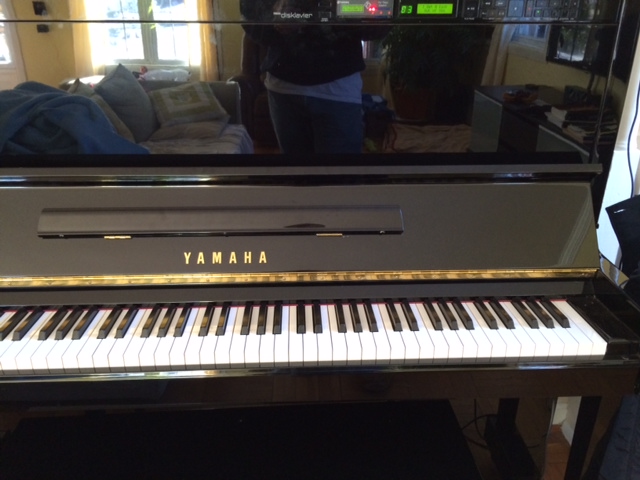
In short in you want to update your old disklavier that uses floppies, this is the ticket. I have an Mx 88
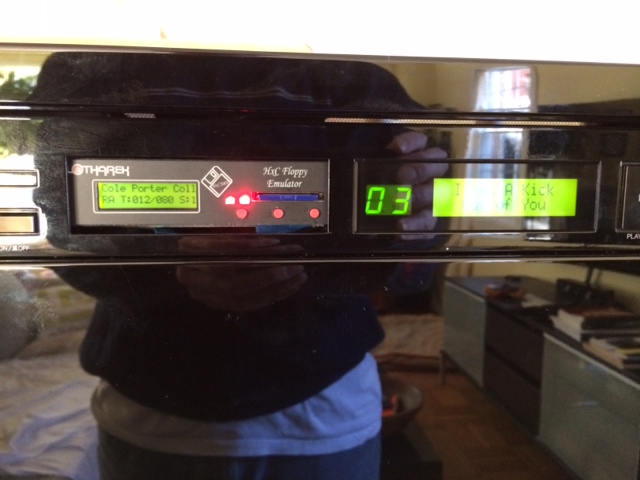
piano, which I Love. The emulator has a display, SD card slot, and three buttons... that's it. When you
power the control box up, the emulator powers up at the same time, and is ready to go. That last disk
you played is loaded. 2 Buttons are used to step and down through the file menu, and one is the select
file (disk) button, its that simple.
On the controller functions, and midi, all is the same. Whatever your control box did with floppy inserted
in the same as when you select your hfe disk file. When you unload the disk file, you are told to insert disk.
The disklaver control box only thinks floppy is inserted, or ejected, everything is the same.
If your controller box supports recording from keyboard, works the same, you select a blank disk image
and play and record just as if a floppy was installed. I even have an alesis synthesizer module
connected to my control box via midi cables, so I can play pianosoft solo AND pianosoft ensemble files.
Of course this worked before I ever installed the emulator.
I love this setup, the Experience is great. Once you get the sdcard setup, is takes mere seconds to select
a new disk from the menu, and the controller box display to display the disk name and READY!
If anyone has any more questions, just let me know,
Eric
---In disklavier@yahoogroups.com, <PianoBench@...> wrote:
Scott and Eric, do you have any other comments on the user experience? I am curious as to whether you find that the time to save and load a recording is noticeably shorter.
Thanks,
PianoBench
Show quoted textHide quoted text
Hi Scott and Eric, can you give me some details please on where you get the floppy drive from Poland, a website link will be good. Also is there any other modification need to be made on the emulator please? How much is the emulator drive please? As I am from Australia and recently bought a second hand Yamaha disklavier MX101R locally and want to see if there is any way to upgrade the current floppy drive. At the moment, the floppy drive still works on my piano.
Thanks and appreciate for your help.
Ray