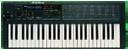
Korg Poly800/EX800 Users group photo

Yahoo Groups archive

Korg Poly800/EX800 Users

Index last updated: 2026-04-28 23:27 UTC

Thread

Mk1: no MIDI in/receive?

Mk1: no MIDI in/receive?

2015-04-27 by shusmith@...

Hello all,


My Mk1 works great for the most part, but I can't seem to convince it to receive midi.

I'm connecting to my Mac through an Echo Audiofire 12, and I can use it as a controller, i.e. it will send midi, but it won't respond to midi coming from the computer.


I have successfully hooked up another keyboard (a roland ep-II) and been able to send and receive midi, so I'm pretty sure the problem is in the Poly.


I've got the manual and tried playing with the midi receive channel parameters, but to no avail.


Any ideas? Guess I should open it up and check for loose connections.


I'm ready to dive in and order the Hawk-800, but wanted to get this sorted first.


Thanks!


-Stu

Re: [korgpolyex] Mk1: no MIDI in/receive?

2015-04-27 by <backshall1@...>

What about sending from the EP-II to the Poly-800? Does that work? Just set everything to channel 1 for testing.
Don B.
Show quoted textHide quoted text
From: mailto:korgpolyex@yahoogroups.com 
Sent: Monday, April 27, 2015 11:25 AM
To: korgpolyex@yahoogroups.com 
Subject: [korgpolyex] Mk1: no MIDI in/receive?


Hello all, 


My Mk1 works great for the most part, but I can't seem to convince it to receive midi.

I'm connecting to my Mac through an Echo Audiofire 12, and I can use it as a controller, i.e. it will send midi, but it won't respond to midi coming from the computer.


I have successfully hooked up another keyboard (a roland ep-II) and been able to send and receive midi, so I'm pretty sure the problem is in the Poly.


I've got the manual and tried playing with the midi receive channel parameters, but to no avail.


Any ideas?  Guess I should open it up and check for loose connections.


I'm ready to dive in and order the Hawk-800, but wanted to get this sorted first.


Thanks!


-Stu

Re: [korgpolyex] Mk1: no MIDI in/receive?

2015-04-27 by Stuart Smith

Nope. Playing the Roland (Roland midi OUT directly connected to Poly's midi IN) doesn't have any effect.Playing the Poly (Poly midi OUT to Roland midi IN) does trigger the Roland.
-Stu
Show quoted textHide quoted text
      From: "backshall1@bellsouth.net [korgpolyex]" <korgpolyex@yahoogroups.com>
 To: korgpolyex@yahoogroups.com 
 Sent: Monday, April 27, 2015 11:27 AM
 Subject: Re: [korgpolyex] Mk1: no MIDI in/receive?
   
    What about sending from the EP-II to the Poly-800? Does that work? Just set everything to channel 1 for testing.Don B. From: mailto:korgpolyex@yahoogroups.com Sent: Monday, April 27, 2015 11:25 AMTo: korgpolyex@yahoogroups.com Subject: [korgpolyex] Mk1: no MIDI in/receive?   Hello all, 
My Mk1 works great for the most part, but I can't seem to convince it to receive midi.I'm connecting to my Mac through an Echo Audiofire 12, and I can use it as a controller, i.e. it will send midi, but it won't respond to midi coming from the computer.
I have successfully hooked up another keyboard (a roland ep-II) and been able to send and receive midi, so I'm pretty sure the problem is in the Poly.
I've got the manual and tried playing with the midi receive channel parameters, but to no avail.
Any ideas?  Guess I should open it up and check for loose connections.
I'm ready to dive in and order the Hawk-800, but wanted to get this sorted first.
Thanks!
-Stu   #yiv0149620640 #yiv0149620640 -- #yiv0149620640ygrp-mkp {border:1px solid #d8d8d8;font-family:Arial;margin:10px 0;padding:0 10px;}#yiv0149620640 #yiv0149620640ygrp-mkp hr {border:1px solid #d8d8d8;}#yiv0149620640 #yiv0149620640ygrp-mkp #yiv0149620640hd {color:#628c2a;font-size:85%;font-weight:700;line-height:122%;margin:10px 0;}#yiv0149620640 #yiv0149620640ygrp-mkp #yiv0149620640ads {margin-bottom:10px;}#yiv0149620640 #yiv0149620640ygrp-mkp .yiv0149620640ad {padding:0 0;}#yiv0149620640 #yiv0149620640ygrp-mkp .yiv0149620640ad p {margin:0;}#yiv0149620640 #yiv0149620640ygrp-mkp .yiv0149620640ad a {color:#0000ff;text-decoration:none;}#yiv0149620640 #yiv0149620640ygrp-sponsor #yiv0149620640ygrp-lc {font-family:Arial;}#yiv0149620640 #yiv0149620640ygrp-sponsor #yiv0149620640ygrp-lc #yiv0149620640hd {margin:10px 0px;font-weight:700;font-size:78%;line-height:122%;}#yiv0149620640 #yiv0149620640ygrp-sponsor #yiv0149620640ygrp-lc .yiv0149620640ad {margin-bottom:10px;padding:0 0;}#yiv0149620640 #yiv0149620640actions {font-family:Verdana;font-size:11px;padding:10px 0;}#yiv0149620640 #yiv0149620640activity {background-color:#e0ecee;float:left;font-family:Verdana;font-size:10px;padding:10px;}#yiv0149620640 #yiv0149620640activity span {font-weight:700;}#yiv0149620640 #yiv0149620640activity span:first-child {text-transform:uppercase;}#yiv0149620640 #yiv0149620640activity span a {color:#5085b6;text-decoration:none;}#yiv0149620640 #yiv0149620640activity span span {color:#ff7900;}#yiv0149620640 #yiv0149620640activity span .yiv0149620640underline {text-decoration:underline;}#yiv0149620640 .yiv0149620640attach {clear:both;display:table;font-family:Arial;font-size:12px;padding:10px 0;width:400px;}#yiv0149620640 .yiv0149620640attach div a {text-decoration:none;}#yiv0149620640 .yiv0149620640attach img {border:none;padding-right:5px;}#yiv0149620640 .yiv0149620640attach label {display:block;margin-bottom:5px;}#yiv0149620640 .yiv0149620640attach label a {text-decoration:none;}#yiv0149620640 blockquote {margin:0 0 0 4px;}#yiv0149620640 .yiv0149620640bold {font-family:Arial;font-size:13px;font-weight:700;}#yiv0149620640 .yiv0149620640bold a {text-decoration:none;}#yiv0149620640 dd.yiv0149620640last p a {font-family:Verdana;font-weight:700;}#yiv0149620640 dd.yiv0149620640last p span {margin-right:10px;font-family:Verdana;font-weight:700;}#yiv0149620640 dd.yiv0149620640last p span.yiv0149620640yshortcuts {margin-right:0;}#yiv0149620640 div.yiv0149620640attach-table div div a {text-decoration:none;}#yiv0149620640 div.yiv0149620640attach-table {width:400px;}#yiv0149620640 div.yiv0149620640file-title a, #yiv0149620640 div.yiv0149620640file-title a:active, #yiv0149620640 div.yiv0149620640file-title a:hover, #yiv0149620640 div.yiv0149620640file-title a:visited {text-decoration:none;}#yiv0149620640 div.yiv0149620640photo-title a, #yiv0149620640 div.yiv0149620640photo-title a:active, #yiv0149620640 div.yiv0149620640photo-title a:hover, #yiv0149620640 div.yiv0149620640photo-title a:visited {text-decoration:none;}#yiv0149620640 div#yiv0149620640ygrp-mlmsg #yiv0149620640ygrp-msg p a span.yiv0149620640yshortcuts {font-family:Verdana;font-size:10px;font-weight:normal;}#yiv0149620640 .yiv0149620640green {color:#628c2a;}#yiv0149620640 .yiv0149620640MsoNormal {margin:0 0 0 0;}#yiv0149620640 o {font-size:0;}#yiv0149620640 #yiv0149620640photos div {float:left;width:72px;}#yiv0149620640 #yiv0149620640photos div div {border:1px solid #666666;height:62px;overflow:hidden;width:62px;}#yiv0149620640 #yiv0149620640photos div label {color:#666666;font-size:10px;overflow:hidden;text-align:center;white-space:nowrap;width:64px;}#yiv0149620640 #yiv0149620640reco-category {font-size:77%;}#yiv0149620640 #yiv0149620640reco-desc {font-size:77%;}#yiv0149620640 .yiv0149620640replbq {margin:4px;}#yiv0149620640 #yiv0149620640ygrp-actbar div a:first-child {margin-right:2px;padding-right:5px;}#yiv0149620640 #yiv0149620640ygrp-mlmsg {font-size:13px;font-family:Arial, helvetica, clean, sans-serif;}#yiv0149620640 #yiv0149620640ygrp-mlmsg table {font-size:inherit;font:100%;}#yiv0149620640 #yiv0149620640ygrp-mlmsg select, #yiv0149620640 input, #yiv0149620640 textarea {font:99% Arial, Helvetica, clean, sans-serif;}#yiv0149620640 #yiv0149620640ygrp-mlmsg pre, #yiv0149620640 code {font:115% monospace;}#yiv0149620640 #yiv0149620640ygrp-mlmsg * {line-height:1.22em;}#yiv0149620640 #yiv0149620640ygrp-mlmsg #yiv0149620640logo {padding-bottom:10px;}#yiv0149620640 #yiv0149620640ygrp-msg p a {font-family:Verdana;}#yiv0149620640 #yiv0149620640ygrp-msg p#yiv0149620640attach-count span {color:#1E66AE;font-weight:700;}#yiv0149620640 #yiv0149620640ygrp-reco #yiv0149620640reco-head {color:#ff7900;font-weight:700;}#yiv0149620640 #yiv0149620640ygrp-reco {margin-bottom:20px;padding:0px;}#yiv0149620640 #yiv0149620640ygrp-sponsor #yiv0149620640ov li a {font-size:130%;text-decoration:none;}#yiv0149620640 #yiv0149620640ygrp-sponsor #yiv0149620640ov li {font-size:77%;list-style-type:square;padding:6px 0;}#yiv0149620640 #yiv0149620640ygrp-sponsor #yiv0149620640ov ul {margin:0;padding:0 0 0 8px;}#yiv0149620640 #yiv0149620640ygrp-text {font-family:Georgia;}#yiv0149620640 #yiv0149620640ygrp-text p {margin:0 0 1em 0;}#yiv0149620640 #yiv0149620640ygrp-text tt {font-size:120%;}#yiv0149620640 #yiv0149620640ygrp-vital ul li:last-child {border-right:none !important;}#yiv0149620640
Re: [korgpolyex] Mk1: no MIDI in/receive?

2015-04-27 by Donal Finn

Well, start with the basics: different MIDI cable, and swap out the interface too if it's one of those cheap ones.

Disconnect all other MIDI devices, ect,

If you're on a mac, make the AMSU icon and connect the wires to the appropriate port.

On Mon, Apr 27, 2015 at 12:05 PM, Stuart Smith shusmith@... [korgpolyex] <korgpolyex@yahoogroups.com> wrote:

Nope.
Playing the Roland (Roland midi OUT directly connected to Poly's midi IN) doesn't have any effect.
Playing the Poly (Poly midi OUT to Roland midi IN) does trigger the Roland.

-Stu


Show quoted textHide quoted text
From: "backshall1@... [korgpolyex]" <korgpolyex@yahoogroups.com>
To: korgpolyex@yahoogroups.com
Sent: Monday, April 27, 2015 11:27 AM
Subject: Re: [korgpolyex] Mk1: no MIDI in/receive?

What about sending from the EP-II to the Poly-800? Does that work? Just set everything to channel 1 for testing.
Don B.
Sent: Monday, April 27, 2015 11:25 AM
Subject: [korgpolyex] Mk1: no MIDI in/receive?
Hello all,

My Mk1 works great for the most part, but I can't seem to convince it to receive midi.
I'm connecting to my Mac through an Echo Audiofire 12, and I can use it as a controller, i.e. it will send midi, but it won't respond to midi coming from the computer.

I have successfully hooked up another keyboard (a roland ep-II) and been able to send and receive midi, so I9;m pretty sure the problem is in the Poly.

I've got the manual and tried playing with the midi receive channel parameters, but to no avail.

Any ideas? Guess I should open it up and check for loose connections.

I'm ready to dive in and order the Hawk-800, but wanted to get this sorted first.

Thanks!

-Stu


Re: [korgpolyex] Mk1: no MIDI in/receive?

2015-04-30 by Vincenzo Vincenzo

I would try to spray flux for contacts on the MIDI port that problem ..
 also should open the poly and see if the welds are ok and possibly refresh the welds with a little pond ..
 it can sometimes happen that the strong stress in inserting the cable can bend midi contacts soldered connector. 


     Il Lunedì 27 Aprile 2015 22:25, "Donal Finn terrible.dee@... [korgpolyex]" <korgpolyex@yahoogroups.com> ha scritto:
   

     Well, start with the basics: different MIDI cable, and swap out the interface too if it's one of those cheap ones.
Disconnect all other MIDI devices, ect,
If you're on a mac, make the AMSU icon and connect the wires to the appropriate port. 
On Mon, Apr 27, 2015 at 12:05 PM, Stuart Smith shusmith@yahoo.com [korgpolyex] <korgpolyex@yahoogroups.com> wrote:

     Nope. Playing the Roland (Roland midi OUT directly connected to Poly's midi IN) doesn't have any effect.Playing the Poly (Poly midi OUT to Roland midi IN) does trigger the Roland.
-Stu
Show quoted textHide quoted text
      From: "backshall1@... [korgpolyex]" <korgpolyex@yahoogroups.com>
 To: korgpolyex@yahoogroups.com 
 Sent: Monday, April 27, 2015 11:27 AM
 Subject: Re: [korgpolyex] Mk1: no MIDI in/receive?
   
    What about sending from the EP-II to the Poly-800? Does that work? Just set everything to channel 1 for testing.Don B. From: mailto:korgpolyex@yahoogroups.com Sent: Monday, April 27, 2015 11:25 AMTo: korgpolyex@yahoogroups.com Subject: [korgpolyex] Mk1: no MIDI in/receive?   Hello all, 
My Mk1 works great for the most part, but I can't seem to convince it to receive midi.I'm connecting to my Mac through an Echo Audiofire 12, and I can use it as a controller, i.e. it will send midi, but it won't respond to midi coming from the computer.
I have successfully hooked up another keyboard (a roland ep-II) and been able to send and receive midi, so I'm pretty sure the problem is in the Poly.
I've got the manual and tried playing with the midi receive channel parameters, but to no avail.
Any ideas?  Guess I should open it up and check for loose connections.
I'm ready to dive in and order the Hawk-800, but wanted to get this sorted first.
Thanks!
-Stu

Re: [korgpolyex] Mk1: no MIDI in/receive?

2015-06-18 by terrible.dee@...

Well, there should be three solder points to every MIDI port, so if one of them has come loose you'll know exactly what to do,

Might be good practice for installing the Hawk actually

Move to quarantaine

This moves the raw source file on disk only. The archive index is not changed automatically, so you still need to run a manual refresh afterward.