Hmmm, sounds weird, you cannot change the midi controllers assigned to the "pedal /switch" entrys.
Have you ever checked your eprom versions ?
There were some restrictions and bugs in earlier eprom versions regarding midi.
The Xpander expects physical pedals/switches at it´s pedal/switch inputs only , if "pedal1" and "pedal 2" is been set to "pedal 1" and "pedal 2" in the bottom row too,- otherwise it expects midi controllers only (or a mix of both).
If you´d have the Ped. 1 and 2 settings in both the displays, it doesn´t mean it works with the patches at all.
You´d have to set up the "modulation-destinations" for the "pedals" (midi controllers) in each of the single-patches separately.
There is no global setup for the controllers which affects all the patches the same way.
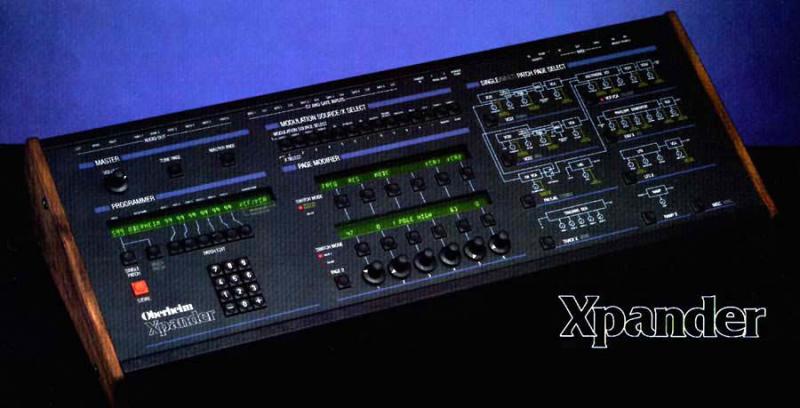
My top display shows: Lever 1 Lever 2 Pedal 1 Pedal 2 Pressr
My bottom display is : Bender 1 7 64 Pressr
VCA 2 is always controlled by ENV2 in my Xpander single patches and the AMP of ENV2 is controlled by VELOCITY being set at different values depending on the patches / midi-keyboard combination.
VCA 1 is always controlled by PEDAL 1 ( value +63) and PEDAL 1 is assigned to midi CC #7 (volume)
PEDAL 2, assigned to midi-controller #64 (sustain) controls the ENV-release times ( at different values and depending on the use of patches) of the ENVELOPES which control VCF ( by env-amount ) and VCA 2.
Make a test patch using the function "INIT VOICE ( or PATCH,- I forgot ...),- this comes up w/ a simple basic/standard analogue synth patch and assign everything as described above. This must work.
If not,- you have a prob w/ your Xpander.
Your settings in the bottom display is wrong anyway,- both LEVERs been set to CC#0 and both the Pedals been set to 1 makes no sense. It could be:
Bender / 1 / Pedal 1 / Pedal 2 / Pressr ( with orig. Oberheim CV-Pedal connected to the Pedal 1 input and a open/close momentary switch connected to Pedal 2 ) or...
the settings in bottom display mentioned above for the most common midi controllers.
hope this helps
PeWe
playthefivetones schrieb:
Hey Takis,
Thanks so much for your help, but i'm afraid the problem persists.
i went to the menu you specified, set pedals 1 and 2 to '0' and vca2 is still 'stuck on'.
The top display has:
lever 1 lever 2 pedal1 pedal2 pressr
(i can't change those)
i set the bottom display to:
1 1 0 0 pressr
still 'stuck vca2'. maybe i did it wrong?
what sort of pedal is that input expecting? a keyboard sustain pedal? should i slap one in there and see if it can turn off vca2?
thanks so much for your help
s