Hi Chase,
I agree it dosen't seem that this is a hardware problem. All of this
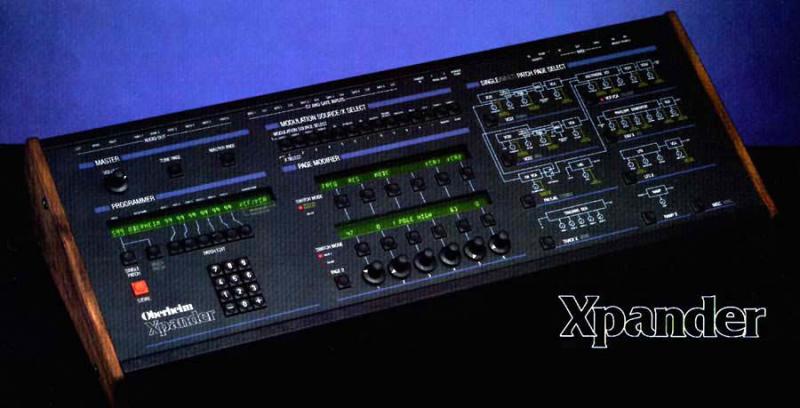
is implemented in software (in the Xpander).

Here is another posibility.

In the master page >> misc >>  push page two >> there is a page to
set the polarity or on/off state of the levers,pedals
and bender.

- Karl

--- In xpantastic@yahoogroups.com, Chase Smith <plus_321@...> wrote:
>
> Unfortunately, I have checked that page and tried to map the mod
wheel to lever 2 and I got nothing.  Then when I mapped modwheel (CC
1) to pedal 1, everything was fine.  Then I tried it again with some
other controller (from a Virus knob) and I had the same problem.
>
> I haven't the slightest idea of how this could be a hardware
problem with the other lever and etc working so maybe I'm just
screwing something up.
>
> Thanks,
> Chase
>
> --- On Thu, 2/26/09, Karl <shire03@...> wrote:
> From: Karl <shire03@...>
> Subject: [xpantastic] Re: Lever 2 Not Working
> To: xpantastic@yahoogroups.com
> Date: Thursday, February 26, 2009, 11:27 PM
>
> Hi Chase,
> Look
>  in the master page>> MIDI >>CTRLS
> The Xpander allows you to change the midi cc number for levers,
> pedels and bender. If this is set to the wrong midi CC number,
> the data will not be recognized.
>
> Good Luck
>
> -Karl
>
>
>
>
>
>
>
>
> --- In xpantastic@yahoogroups.com, Chase Smith <plus_321@> wrote:
> >
> > Title says it all.  I always thought that for some reason mod
wheel
> data was being dropped somewhere along the way to the Xpander, but
> then I realized that I can map it to a pedal and it works fine.
For
> some reason Lever 2 doesn't seem to work, in that, it will not
> modulate anything.
> >
> > I'm hoping that there is a software setting that I am not
seeing.
Show quoted textHide quoted text
> >
> > Has anyone heard of this happening before?  Any solutions?
> >
> > Thanks,
> >
>  Chase
> >
>
>
>
>
> ------------------------------------
>
> Yahoo! Groups Links
>