Very nice. Thank you.
Here is an example of a glitch that just got corrected in an Epson Hot Press profile: http://www.paulroark.com/BW-Info/QTR-2nd-linearization.JPG
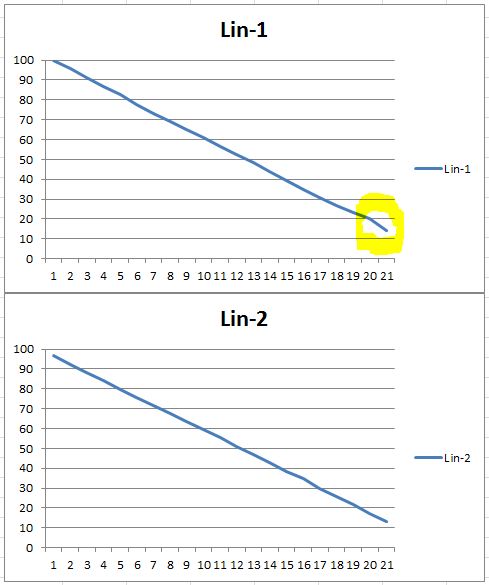
Paul
On Fri, Jul 10, 2015 at 5:29 PM, Roy Harrington roy@... [QuadtoneRIP] <QuadtoneRIP@yahoogroups.com> wrote:
Finally got the PC version going. You need to put the .exe file in the samefolder with all the .exe's like QTR-Linearize-Data.exe -- its the QuadToneRIP\Eye-One\ folder.You can grab the two files (.quad and .txt) from anywhere on disk.https://www.dropbox.com/s/7vmo1nwlj3s57e0/QTR-Linearize-Quad.exe?dl=0RoyOn Tue, Jun 9, 2015 at 4:07 PM, Roy Harrington <roy@...> wrote:There seems to be a fair amount of interest in re-linearizing existing .quad curves.So looked into it and created a new droplet program QTR-Linearize-Quad that does this.The droplet takes two files -- a .quad file that you wish to re-linearize and ameasurement file i.e. .txt file like the usual QTR-Linearize-Data takes.This is basically equivalent to adding a LINEARIZE line to a curve descriptor file.The output .quad file will have the same name with "-lin" appended to curve name.This gives you the capability of linearizing Piezo .quad files and also allowing asecond linearizing of the standard curves -- i.e. you can have a linearized curvebut fine-tune the linearize with a second one.The plan is for this in the next version but I currently have a Mac version thatcan be tried out. Here's a link to the droplet application:Comments welcome.Roy--
--