Yahoo Groups archive

Disklavier

Index last updated: 2026-04-28 23:20 UTC

Thread

bluetooth question

bluetooth question

2017-05-11 by Carol Beigel

I am sitting at my desk with my new iMac computer - i7 processor running OS10.12.4 Sierra.  My Disklavier is in the next room with the MD-BT101 Bluetooth connected.  My iPhone 6SPlus is sitting on my desk next to the computer and plays the Disklavier just fine over bluetooth wireless using Sweet MIDI Player.

So why doesn’t my computer bluetooth see the MD-BT101?  It sees the new mouse and keyboard just fine.  It’s supposed to be able to control a bluetooth wireless interface. 

The Sierra software is very nice.  Whatever I see on my Desktop and Documents are also available on the iCloud folder of my phone.  It is easy enough to download midi files from the iCloud to Sweet MIDI Player on my phone, but that is not the point.  I want to be able to audition midi files on the piano while sitting at my desk.  Any suggestions? 

Thanks.  Carol Beigel

RE: [disklavier] bluetooth question

2017-05-11 by <toddmuncy@...>

I’m guessing the MD-BT101 can only be Bluetooth connected to one other device at a time. i.e. if my wife and I are riding in the car together, it’s a race to see which cell phone the car pairs with.


Todd Muncy
11011 Via Tuscany Lane
Apt 101
Miromar Lakes, FL 33913-7877
(612) 568-6292
Show quoted textHide quoted text
From: Carol Beigel carol@... [disklavier]
Sent: Thursday, May 11, 2017 1:51 PM
To: disklavier@yahoogroups.com
Subject: [disklavier] bluetooth question

  
I am sitting at my desk with my new iMac computer - i7 processor running OS10.12.4 Sierra. My Disklavier is in the next room with the MD-BT101 Bluetooth connected. My iPhone 6SPlus is sitting on my desk next to the computer and plays the Disklavier just fine over bluetooth wireless using Sweet MIDI Player.

So why doesn’t my computer bluetooth see the MD-BT101? It sees the new mouse and keyboard just fine. It’s supposed to be able to control a bluetooth wireless interface. 

The Sierra software is very nice. Whatever I see on my Desktop and Documents are also available on the iCloud folder of my phone. It is easy enough to download midi files from the iCloud to Sweet MIDI Player on my phone, but that is not the point. I want to be able to audition midi files on the piano while sitting at my desk. Any suggestions? 

Thanks. Carol Beigel

Attachments

Re: [disklavier] bluetooth question

2017-05-11 by Mark Fontana

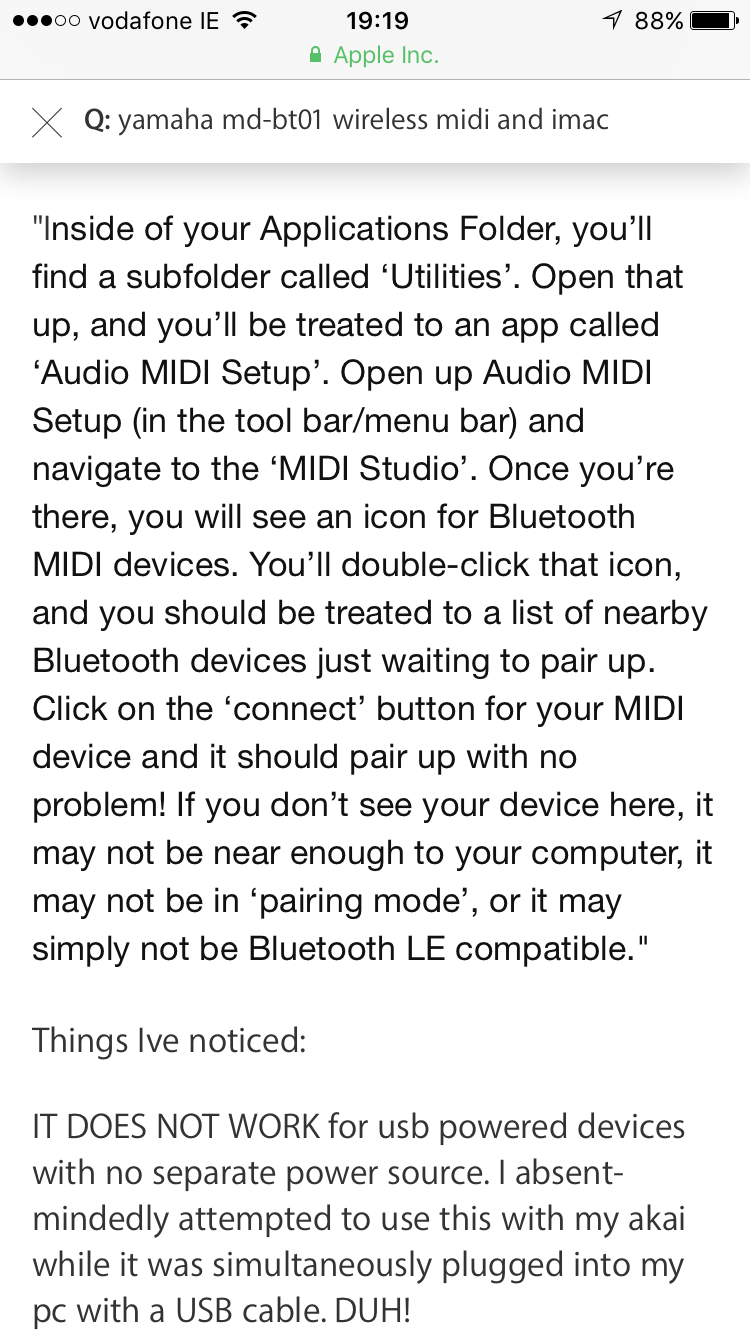
Hi Carol, apparently on MacOS, you have to run a program in your 
applications folder under Utilities/Audio MIDI Setup to configure the 
Bluetooth MIDI link:

https://ask.audio/articles/using-bluetooth-midi-on-ios-and-os-x 
<https://ask.audio/articles/using-bluetooth-midi-on-ios-and-os-x>
Show quoted textHide quoted text
On 05/11/2017 12:44 PM, Carol Beigel carol@... [disklavier] wrote:
>
> I am sitting at my desk with my new iMac computer - i7 processor 
> running OS10.12.4 Sierra. My Disklavier is in the next room with the 
> MD-BT101 Bluetooth connected. My iPhone 6SPlus is sitting on my desk 
> next to the computer and plays the Disklavier just fine over bluetooth 
> wireless using Sweet MIDI Player.
>
> So why doesn\u2019t my computer bluetooth see the MD-BT101? It sees the new 
> mouse and keyboard just fine. It\u2019s supposed to be able to control a 
> bluetooth wireless interface.
>
> The Sierra software is very nice. Whatever I see on my Desktop and 
> Documents are also available on the iCloud folder of my phone. It is 
> easy enough to download midi files from the iCloud to Sweet MIDI 
> Player on my phone, but that is not the point. I want to be able to 
> audition midi files on the piano while sitting at my desk. Any 
> suggestions?
>
> Thanks. Carol Beigel
>

Re: [disklavier] bluetooth question

2017-05-11 by JORGE FERNANDEZ

Hi Carol, just a fast answer.

Bluetooth has a very limited distance range and from room to room it may not work

Try to be in the same room, turn off bluetooth on the iPhone, then turn it on again.

I f the controller is "announcing" itself, now it should be detected.

(I do not have any MIDI bluetooth, But lots of bluetooth devices all around me).

Regards.-
Show quoted textHide quoted text
2017-05-11 12:44 GMT-05:00 Carol Beigel carol@... [disklavier] <disklavier@yahoogroups.com>:

I am sitting at my desk with my new iMac computer - i7 processor running OS10.12.4 Sierra. My Disklavier is in the next room with the MD-BT101 Bluetooth connected. My iPhone 6SPlus is sitting on my desk next to the computer and plays the Disklavier just fine over bluetooth wireless using Sweet MIDI Player.

So why doesn’t my computer bluetooth see the MD-BT101? It sees the new mouse and keyboard just fine. It’s supposed to be able to control a bluetooth wireless interface.

The Sierra software is very nice. Whatever I see on my Desktop and Documents are also available on the iCloud folder of my phone. It is easy enough to download midi files from the iCloud to Sweet MIDI Player on my phone, but that is not the point. I want to be able to audition midi files on the piano while sitting at my desk. Any suggestions?

Thanks. Carol Beigel


--
Saludos

___,,,^..^,,,___

Re: [disklavier] bluetooth question

2017-05-11 by Donal Galvin

Sent from my iPhone
Show quoted textHide quoted text
> On 11 May 2017, at 18:44, Carol Beigel carol@carolrpt.com [disklavier] <disklavier@yahoogroups.com> wrote:
> 
> I am sitting at my desk with my new iMac computer - i7 processor running OS10.12.4 Sierra. My Disklavier is in the next room with the MD-BT101 Bluetooth connected. My iPhone 6SPlus is sitting on my desk next to the computer and plays the Disklavier just fine over bluetooth wireless using Sweet MIDI Player.
> 
> So why doesn’t my computer bluetooth see the MD-BT101? It sees the new mouse and keyboard just fine. It’s supposed to be able to control a bluetooth wireless interface. 
> 
> The Sierra software is very nice. Whatever I see on my Desktop and Documents are also available on the iCloud folder of my phone. It is easy enough to download midi files from the iCloud to Sweet MIDI Player on my phone, but that is not the point. I want to be able to audition midi files on the piano while sitting at my desk. Any suggestions? 
> 
> Thanks. Carol Beigel
> 
>

Attachments

Re: [disklavier] bluetooth question [1 Attachment]

2017-05-11 by Carol Beigel

It works!  Thank you for the suggestions. 
Yes the midi studio must be activated.
I had to move the computer close to the piano.
I turned my cell phone off to cancel the pairing.
Now I will move the computer back to 
The desk and check the distance range

Carol


Sent from my iPhone
Show quoted textHide quoted text
> On May 11, 2017, at 1:57 PM, toddmuncy@... [disklavier] <disklavier@...m> wrote:
> 
> [Attachment(s) from toddmuncy@... included below] 
> 
> I’m guessing the MD-BT101 can only be Bluetooth connected to one other device at a time. i.e. if my wife and I are riding in the car together, it’s a race to see which cell phone the car pairs with.
>  
>  
> Todd Muncy
> 11011 Via Tuscany Lane
> Apt 101
> Miromar Lakes, FL 33913-7877
> (612) 568-6292
>  
> From: Carol Beigel carol@... [disklavier]
> Sent: Thursday, May 11, 2017 1:51 PM
> To: disklavier@yahoogroups.com
> Subject: [disklavier] bluetooth question
>  
> I am sitting at my desk with my new iMac computer - i7 processor running OS10.12.4 Sierra. My Disklavier is in the next room with the MD-BT101 Bluetooth connected. My iPhone 6SPlus is sitting on my desk next to the computer and plays the Disklavier just fine over bluetooth wireless using Sweet MIDI Player.
> 
> So why doesn’t my computer bluetooth see the MD-BT101? It sees the new mouse and keyboard just fine. It’s supposed to be able to control a bluetooth wireless interface. 
> 
> The Sierra software is very nice. Whatever I see on my Desktop and Documents are also available on the iCloud folder of my phone. It is easy enough to download midi files from the iCloud to Sweet MIDI Player on my phone, but that is not the point. I want to be able to audition midi files on the piano while sitting at my desk. Any suggestions? 
> 
> Thanks. Carol Beigel
> 
>  
> 
> 
>

Re: [disklavier] bluetooth question

2017-05-12 by George F. Litterst

Good evening, everyone.

Carol, it should not be necessary to turn off your phone to disable the BT connection with the piano. The app that you used to establish the connection can also break the connection.

Regards,
PianoBench
Show quoted textHide quoted text
> On May 11, 2017, at 3:00 PM, Carol Beigel carol@... [disklavier] <disklavier@yahoogroups.com> wrote:
> 
> 
> It works!  Thank you for the suggestions. 
> Yes the midi studio must be activated.
> I had to move the computer close to the piano.
> I turned my cell phone off to cancel the pairing.
> Now I will move the computer back to 
> The desk and check the distance range
> 
> Carol
> 
> 
> Sent from my iPhone
> 
> On May 11, 2017, at 1:57 PM, toddmuncy@... <mailto:toddmuncy@...> [disklavier] <disklavier@yahoogroups.com <mailto:disklavier@yahoogroups.com>> wrote:
> 
>> I’m guessing the MD-BT101 can only be Bluetooth connected to one other device at a time. i.e. if my wife and I are riding in the car together, it’s a race to see which cell phone the car pairs with.
>> 
>>  
>> 
>>  
>> 
>> Todd Muncy
>> 11011 Via Tuscany Lane
>> Apt 101
>> Miromar Lakes, FL 33913-7877
>> (612) 568-6292
>> 
>>  
>> 
>> From: Carol Beigel carol@... [disklavier] <mailto:disklavier@yahoogroups.com>
>> Sent: Thursday, May 11, 2017 1:51 PM
>> To: disklavier@yahoogroups.com <mailto:disklavier@yahoogroups.com>
>> Subject: [disklavier] bluetooth question
>> 
>>  
>> 
>>  
>> 
>> I am sitting at my desk with my new iMac computer - i7 processor running OS10.12.4 Sierra. My Disklavier is in the next room with the MD-BT101 Bluetooth connected. My iPhone 6SPlus is sitting on my desk next to the computer and plays the Disklavier just fine over bluetooth wireless using Sweet MIDI Player.
>> 
>> So why doesn’t my computer bluetooth see the MD-BT101? It sees the new mouse and keyboard just fine. It’s supposed to be able to control a bluetooth wireless interface. 
>> 
>> The Sierra software is very nice. Whatever I see on my Desktop and Documents are also available on the iCloud folder of my phone. It is easy enough to download midi files from the iCloud to Sweet MIDI Player on my phone, but that is not the point. I want to be able to audition midi files on the piano while sitting at my desk. Any suggestions? 
>> 
>> Thanks. Carol Beigel
>> 
>> 
>>  
>> 
> 
>

Move to quarantaine

This moves the raw source file on disk only. The archive index is not changed automatically, so you still need to run a manual refresh afterward.