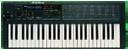
OK.. after digging into the MIDI Implementation Chart, I sort of answered my own question...

CC#22 selects a Parameter Bank.. CC= Original Parameter Banks 1-8 (P1) and CE= Extended Parameter Banks 1-8 (P2).  Each bank is a group of eight controls.  Bank 1 (P1) is for DCO1 controls, Bank 2 (P1) is for DCO2 controls.  Bank 3 (p1) is for DCO Tune, Noise and MK2 Effects.. and so on.

Then CC#23 thru CC#30 controls the Bank selected by CC#22 individually..  23 is the first control, 24 the second, and so on until 30, which is the eighth control in the selected Bank.

So if I want to control the Filter Cutoff, I change CC#2 until the HAWK displays "CC 4-" and then I adjust CC#23 to change the first Parameter in that bank.. which is "P2 41 **" , the filter cutoff.

If I want to change, say the SLFO4 freq.  I would change CC#22 until it displays "CE 7-" ,  then adjust CC#27 (the fifth control in that group/bank)up and down to change SLFO4's Freq from 0-15.  This would be the same as editing "P2 75 **"


It takes alot of getting use to and a little frustrating, but it does work.
Thing is, I thought I could change each parameter according to the CC# shown next to that Parameter on the Quick Reference Chart..


So I'm back to the question, is there a way to CC each parameter individually using CC's 1-127, or is the above way the ONLY way to do continuous controlling of the parameters?


--- In korgpolyex@yahoogroups.com, "bimmerfan222" <bperkins211@...> wrote:
>
> Well I got around to hooking up my HAWK up to a software midi CC.
>
> I've tried both MidiJoys and Unicontrol (freeware).
>
>
> What happens is it controls STANDARD Midi CC's.. like #7 is Main Volume, #71 is Resonance, #74 is Filter Cutoff...
>
> The CC's I set on the software does not match up to the CC's for the HAWKS parameters as shown in the Quick Reference pdf.
>
> If I tried to use CC#24 on the software slider for the filter cutoff (Parameter P2 41), the HAWK would change Parameter 12 instead.  Plus it would show "CC 12 01" on the screen while I moved the software slider control (When I stop moving a slider, the "CC ** **" will change back to the previous display.), it will do this for#23 thru #30 incrementally.
> CC#30 from the software changes parameter 18.
>
> It stops there, then when I use CC#31 it will show patch "11 *P".. the "*" will go up in value 1-8.
>
>
>
> There's other odd things that happen as well.. but obviously the point is that I want to make CC#24 change the filter cutoff as stated in the Quick Reference sheet, CC#96 to adjust the Resonance Set Point...  as well as all the other CC's assigned to each and every single parameters in a single patch.
>
> Is there a setting in the HAWK I need to change?
>
Message
Re: CC issues...
2012-09-03 by bimmerfan222
Attachments
- No local attachments were found for this message.