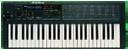
Are internal demo songs OK? Do they play?

Anyhow, you can try following.

I would do this:
- if machine was not used for longer time, leave it switched on
through all day as long as possible, but keep eye on it all the time
(danger of fire ???)

- reset (see below)

- go through test routines (see below)

- check, clean and reseat all connectors inside with contact spray

- reseat all IC's in sockets (be very careful not to bend or break pins)

- measure PSU voltages if they conforms with the spec

- maybe change electrolytic caps in PSU, after so many years maybe
they need to be replaced

- check internal RAM battery, if it's dead, replace it

- load the original factory data from the ROM card if you have it, if
not, send some proper SysEx data through MIDI, be it original factory
set or other

Good luck!

Daniel Forro

P.S.: Isn't this KORG group?


--------
Roland D5 Test Mode

Before conducting the tests, make sure that the pedal and memory card
are not connected.

Entering test mode:

1 - Press the MODE repeatedly until the ROM PLAY LED lights. The unit
is now in ROM PLAY mode.

2 - Press and hold the EXIT and EDIT and then press the ENTER; the
display shows the following indicating that the unit is in test mode.

Select Mode
A/B + ***button

During the test mode the following buttons serve as test selector
button.

A/B+NUMBER1	BATTERY TEST
A/B+NUMBER2	DA ADJUST
A/B+NUMBER3	A/D, SWITCH TEST
A/B+NUMBER4	LED TEST
A/B+NUMBER5	MEMORY TEST
A/B+NUMBER6	CARD TEST
A/B+NUMBER7	TUNE TEST
A/B+NUMBER8	MIDI TEST
A/B+BANK1	KEYBOARD TEST

Press and hold the A/B and then press the DISP: test routine will
proceed to the next each time DISP is pressed.

To exit the test mode, turn off and on the unit, or while holding the
A/B press the INT/CARD.

------------
To check your Pitch and Mod levers go to test 3 which is the A/D and
Switch test. If you press the pitch to the right it should show in the
display an increase from 000 to +127. The other direction should go
opposite - 000 to -127.

With Mod lever it should go from 000 at rest to 127 when pushed forward.

You can also check your panel switches and hold pedal inputs.
-----------------
There doesn't seem to be a 'normal' reset procedure however Roland has
a section in the service manual called 'Setting Data'. Here it is...

Setting Data

If the tone RAM (main board IC17) has lost the tone data due to
battery replacement or the tone RAM itself has been replaced, take the
following procedure.

1 - Enter test mode.
2 - Holding donw the A/B, press the BANK 7; the following settings
will return to the factory value:

SET UP
MIDI
TUNE/FUNCTION
KEY TRANSPOSE

To recover Patch, Timbre and Internal tone to the factory setting,
proceed to the following steps.

1 - Enter test mode.
2 - Insert the memory card (D-5 FACTORY PRESET CARD) into the MEMORY
CARD slot.
3 - Holding down the A/B, press BANK 6. The display will show the
following message, and the recovery process is completed.

FACTORY PRESET
Load Completed

-----------------------


On Apr 8, 2015, at 11:03 PM, Vincenzo Vincenzo sarvamala@...
[korgpolyex] wrote:

> hello Gordon,
> thanks for the advice but in addition to the problem of the display
> incomprehensible Roland D5 does not sound ..
> then suddenly everything himself begins to make strange sounds
> without the pressure of the keys and the LEDs do not light and
> pressing the function keys nothing happens ..
> according to you can be burned CPU or some other integrated?
Message
Re: [korgpolyex] Re: Poly800 Mk-1 Battery Mod - have I damaged something? Error 1.85001
2015-04-08 by Daniel Forró
Attachments
- No local attachments were found for this message.