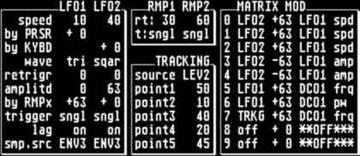
If you look at the Matrix 6R (supposed to be identical to the Matrix
6) here:
http://www.youngmonkey.ca/nose/audio_tech/
it appears that the Matrix 6 starts patch numbering with 0.  It's
possible that Cubase might map 1 to 0 (I don't know).  In any case, if
you want to send patch 22, I would think that you wouldn't have try
any thing but 21 or 22, and see if you get the desired patch.
Hope this helps.

synergeezer

--- In oberheim@yahoogroups.com, "ricardorucier" <ricardorucier@...>
wrote:
>
> I have a dilemma.
>
> Maybe an easy thing for you super matrix pros.
>
> I'm currently programming all of my midi songs in Cubase.
> I have a hardware sequencer that accepts standard midi files, so
> transferring any data is no problem.
>
> My question is, how do I assign a midi track to correspond with a
> patch on the Martrix 6?
>
> For instance, if I want to use patch 22, what program number would
> that be?  22?  Do I just select a program number, or do I select a
> number + a bank... or do I modify sysex information in Cubase?
>
> The worse case scenario is simply assigning each midi track to the
> appropriate channel in cubase, then manually changing the patches live
> on stage.  But my goal is to have all of my songs pre programmed with
> all of the program change info, so as each new song loads, the matrix
> 6 changes it's patches automatically without me having to change them
> manually.
>
> Any help is appreciated.
>
> Thanks!
>
Message
Re: How do I program change?
2008-02-10 by synergeezer
Attachments
- No local attachments were found for this message.