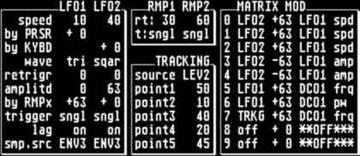
Well I got halfway there, I did setup my control freak to transmit certain
parameters allowing me to change dcos, filter, res, envelopes, choose the
between different waveforms and a few other things.  You can't do certain
negative numbers on certain parameters with the control freak which can
limit you in some ways. Lately I've just been using it to tweak main
parameters, I'll find a sound I like and then twist it a bit, but for
programming from scratch, like you would on a full blown analog with knobs,
I prefer to use one of the computer editors, it is a bit quicker.  I have
actually been trying to find a logic enviroment. The control freak makes the
M6r come alive though. there is a slight delay when you turn a knob to when
things change so not great for really fast filter sweeps or instant changes.
  Anyway don't know if that is exactly what you wanted to know, it's late
and I'm rambling.....


>From: "Matt Picone" <matman@...>
>Reply-To: oberheim@yahoogroups.com
>To: <oberheim@yahoogroups.com>
>Subject: RE: [oberheim] Matrix 6r system exclusive setup
>Date: Thu, 20 Jul 2006 10:56:32 -0400
>
>Did you ever succeed in this endeavor?
>
>-m@
>
> > -----Original Message-----
> > From: oberheim@yahoogroups.com
> > [mailto:oberheim@yahoogroups.com] On Behalf Of skylab001
> > Sent: Wednesday, February 15, 2006 3:42 PM
> > To: oberheim@yahoogroups.com
> > Subject: [oberheim] Matrix 6r system exclusive setup
> >
> > Now that I've got my 6R up and running, I would like to program my
> > control freak for it so that I can control it with knobs.  It has a
> > matrix 1000 setup already but that doesn't work so far with the M6.
> > Can somebody help me out with the sysex strings I need for parameter
> > changes.  So far I've got the general:
> >
> > F0H  beginning of sysex
> > 10H Oberehim code
> > 06H For the M6R device ID
> > <opcode>
> > <data bytes>
> > F7H
> >
> > But if somebody could fill me in with an example of say the VCF
> > control string, I could probably figure the rest out. I need to figure
> > out what the opcodes and the data bytes are for each parameter.  I
> > have found this text on the internet which I have been trying to
> > reference but can't quite figure it out without seeing a full string
> > or a couple full strings.:
> >
> >
> >
> >
> > Statistics:     134 Bytes/Single Patch
> >           = 268 nybbles transmitted + 5 bytes Header + 1 byte Checksum
> > + 1 byte EOX
> >           = 275 total transmitted bytes/Single Patch
> >
> >
> > Byte        Parameter     # Bits     Description
> >
> > 0 - 7          6 each     Patch Name
> >                          Each character is represented by the lower 6
> > bits of it's ASCII
> >      representation.
> >
> > 8          48     2     Keyboard Mode
> >                          0 = Reassign
> >                          1 = Rotate
> >                          2 = Unison
> >                          3 = Reassign w/ Rob
> >
> > 9          00     6     DCO 1 Initial Frequency
> >                          LSB = 1 Semitone
> >
> > 10          05     6     DCO 1 Initial Waveshape
> >                          0 = Sawtooth
> >                          31 = Triangle
> >
> > 11          03     6     DCO 1 Initial Pulse Width
> >
> > 12          07     2     DCO 1 Fixed Modulations
> >                          Bit 0 = Lever 1
> >                          Bit 1 = Vibrato
> >
> > 13          06     2     DCO 1 Waveform Enable
> >                          Bit 0 = Pulse
> >                          Bit 1 = Wave
> >
> > 14          10     6     DCO 2 Initial Frequency
> >                          LSB = 1 Semitone
> >
> > 15          15     6     DCO 2 Initial Waveshape
> >                          0 = Sawtooth
> >                          31 = Triangle
> >
> > 16          13     6     DCO 2 Initial Pulse Width
> >
> > 17          17     2     DCO 2 Fixed Modulations
> >                          Bit 0 = Lever 1
> >                          Bit 1 = Vibrato
> >
> > 18          16     3     DCO 1 Waveform Enable
> >                          Bit 0 = Pulse
> >                          Bit 1 = Wave
> >                          Bit 2 = Noise
> >
> > 19          12     6 (signed)     DCO 2
> > Detune
> >
> >
> > Byte        Parameter     # Bits     Description
> >
> > 20          20     6     Mix
> >
> > 21          08     2     DCO 1 Fixed Modulations
> >                          Bit 0 = Portamento
> >                          Bit 1 = Not used
> >
> > 22          09     1     DCO 1 Click
> >
> > 23          18     2     DCO 2 Fixed Modulations
> >                          Bit 0 = Portamento
> >                          Bit 1 = Keyboard Tracking Enable
> >
> > 24          19     1     DCO 2 Click
> >
> > 25          02     2     DCO Sync Mode
> >
> > 26          21     7     VCF Initial Frequency
> >                          LSB = 1 Semitone
> >
> > 27          24     6     VCF Initial Resonance
> >
> > 28          25     2     VCF Fixed Modulations
> >                          Bit 0 = Lever 1
> >                          Bit 1 = Vibrato
> >
> > 29          26     2     VCF Keyboard Modulation
> >                          Bit 0 = Portamento
> >                          Bit 1 = Keyboard
> >
> > 30          30     6     VCF FM Initial Amount
> >
> > 31          27     6     VCA 1 (Exponential) Initial Amount
> >
> > 32          44     6     Portamento Initial Rate
> >
> > 33          46     2     Lag Mode
> >                          0 = Constant Speed
> >                          1 = Constant Time
> >                          2 = Exponential
> >                          3 = Exponential
> >
> > 34          47     1     Legato Portamento Enable
> >
> > 35          80     6     LFO 1 Initial Speed
> >
> > 36          86     2     LFO 1 Trigger
> >                          0 = No Trigger
> >                          1 = Single Trigger
> >                          2 = Multi Trigger
> >                          3 = External Trigger
> >
> > 37          87     1     LFO 1 Lag Enable
> > 38          82     3     LFO 1 Waveshape (see Table 1)
> > 39          83     5     LFO 1 Retrigger point
> > 40          88     5     LFO 1 Sampled Source Number
> > 41          84     6     LFO 1 Initial Amplitude
> >
> >
> > this is only a partial list,
> >
> > anyways,
> >
> > Thanks
> > Brian
> >
> >
> >
> >
> >
> >
> > Yahoo! Groups Links
> >
> >
> >
> >
> >
> >
> >
>
Message
RE: [oberheim] Matrix 6r system exclusive setup
2006-07-21 by Analogue 001
Attachments
- No local attachments were found for this message.