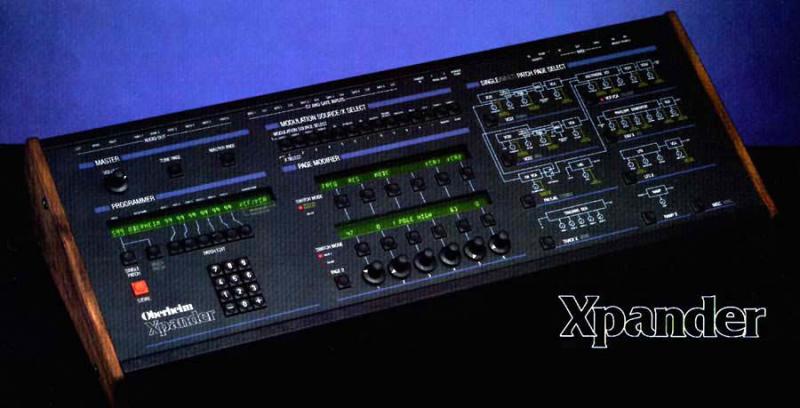
so, basically, you need a midi controller keyboard, and two xpanders set to even the same midi channel, but, via their zones capability, to make them respond to only a part of the keyboard range, right? so you have half of the keys to xpander one and half of the keys to xpander two...


Bakis Sirros


________________________________
 From: Tony Cappellini <cappy2112@...>
To: xpantastic@yahoogroups.com
Sent: Friday, April 20, 2012 1:58 AM
Subject: [xpantastic] Re: Xpander midi overflow mode available?


Wait a sec-

I'm pretty sure the Xp doesn't support this natively- but

If you're KB controller is flexible enough, you can have 1 Xpander configured respond on one channel (or 6),
and the other Xpander respond on another channel (or 6 others).

The Xp allows you to map key ranges into zones- where each zone can be controlled by a specific channel.
I think you should be able to setup both Xpanders to respond to different key ranges coming from the master keyboard.

This probably isn't the ideal situation, but it's better than having to be tied to a laptop & midi mapping software.


On Thu, Apr 19, 2012 at 3:47 PM, Tony Cappellini <cappy2112@...> wrote:

>>let's say you have two Xpanders midied together (midi out from one to midi in of the second).
>>>does the Xpander support a 'midi overflow' mode, so you could play two Xpanders as one 12-voice machine?
>I don't think it does this natively, which is a shame since that function IS supported in the Matrix 1000.
>
>You could probably implement it easily with Midiox, Bomes (OSX) or a similar midi mapping software, but then are restricted
>to needing a laptop.
>
>
Message
Re: [xpantastic] Re: Xpander midi overflow mode available?
2012-04-19 by Bakis Sirros
Attachments
- No local attachments were found for this message.