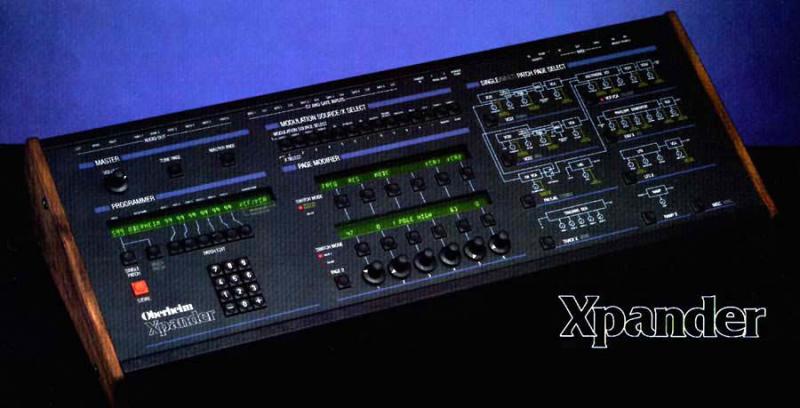
Hi,
Each zone (in single mode) may be set to it's own midi channel,
or to Omni mode.

Try this button sequence:

>> Master Page >>  Zone >> Zone Number (1 - 6)

At the far right of the zone page is the midi channel, make sure it is
not set to omni.

Best Luck

Karl


________________________________
From: "endofcommon@..." <endofcommon@...m>
To: xpantastic@yahoogroups.com
Sent: Mon, March 11, 2013 5:31:12 PM
Subject: Re: [xpantastic] Xpander Midi Recieve Channel


Xpander Master Midi channel is set to Ch1 (Master, Midi, Channel), Logic is
sending out on Ch. 1  (tested all other channels working correctly). Has it to
do with midi zones/ (master/midi/zones) perhaps ? Again this is in single mode.
 Thanks, e


On Mar 11, 2013, at 6:17 PM, Ancient Eyeball Recipe wrote:


>
>
>Well, my guess would be that either the xpander doesn't have its midi channel
>set to one (I think that the default may be 'omni', which would produce your
>symptoms), OR you're channelizing the output incorrectly  through your DAW,
>which can be easy to do.
>
>
>
>In any case, I'm not in front of my matrix 12 at the moment, but logically
>that's what comes to mind.
>
>________________________________
From: endofcommon@...
>To: xpantastic@yahoogroups.com
>Sent: Monday, March 11, 2013 3:24:05 PM
>Subject: [xpantastic] Xpander Midi Recieve Channel
>
>
>Until recently I had my my Xpander on its own midi buss, but due to
>some setup thinning out, it now needs to share a midi bus (1 Midi out
>from a Emagic MT-4) with other synths but I cannot seem to set it
>correctly in single mode to receive on just one midi channel, it wants
>to respond to all channels, could someone please go over these steps
>with me please, I must be missing something. Thank you, e
>
>OB Xpander
>Processor v1.2
>Voice v1.4
>Casette v1.0
>
>
>
Message
Re: [xpantastic] Xpander Midi Recieve Channel
2013-03-11 by Karl Schmeer
Attachments
- No local attachments were found for this message.